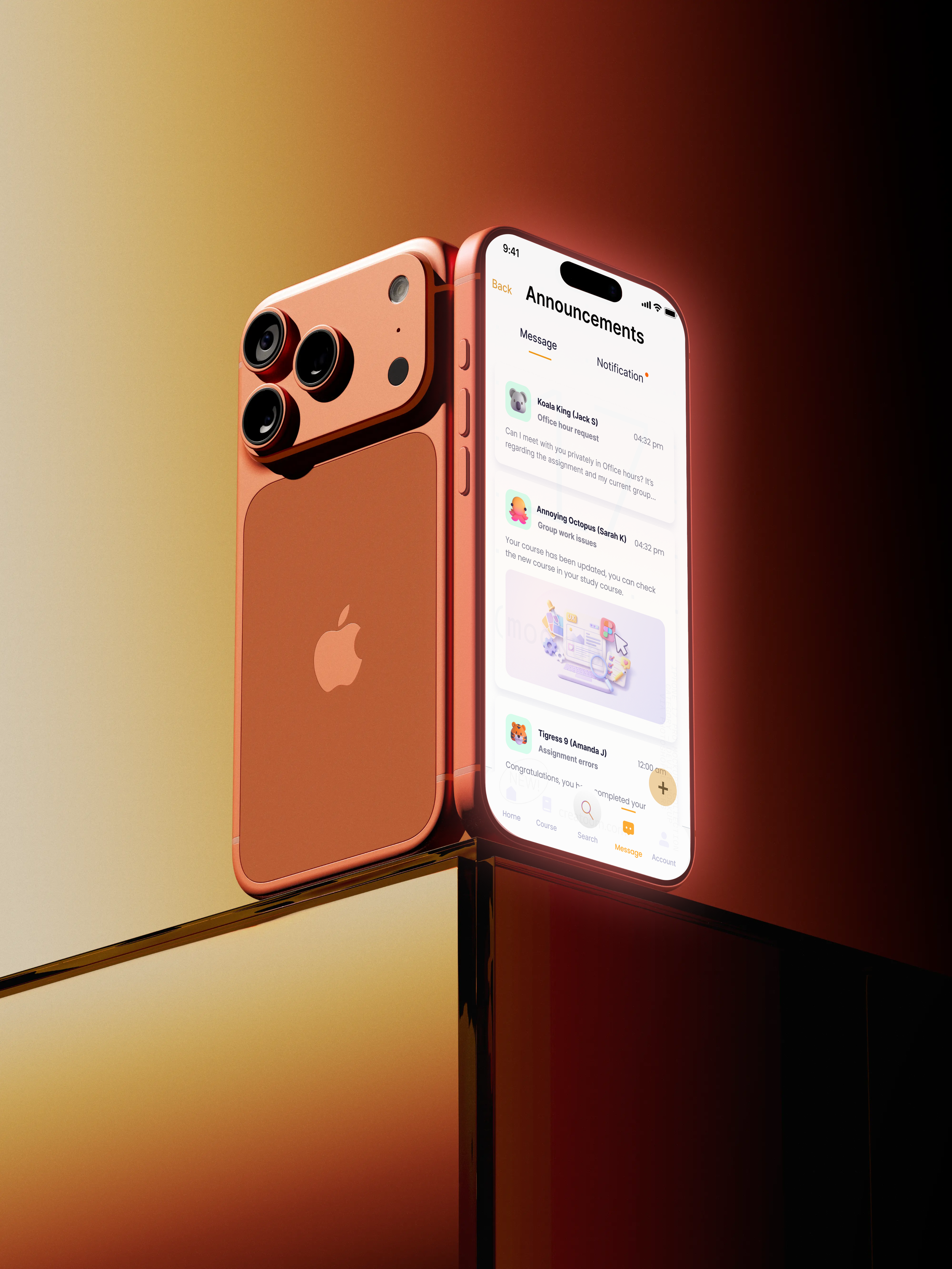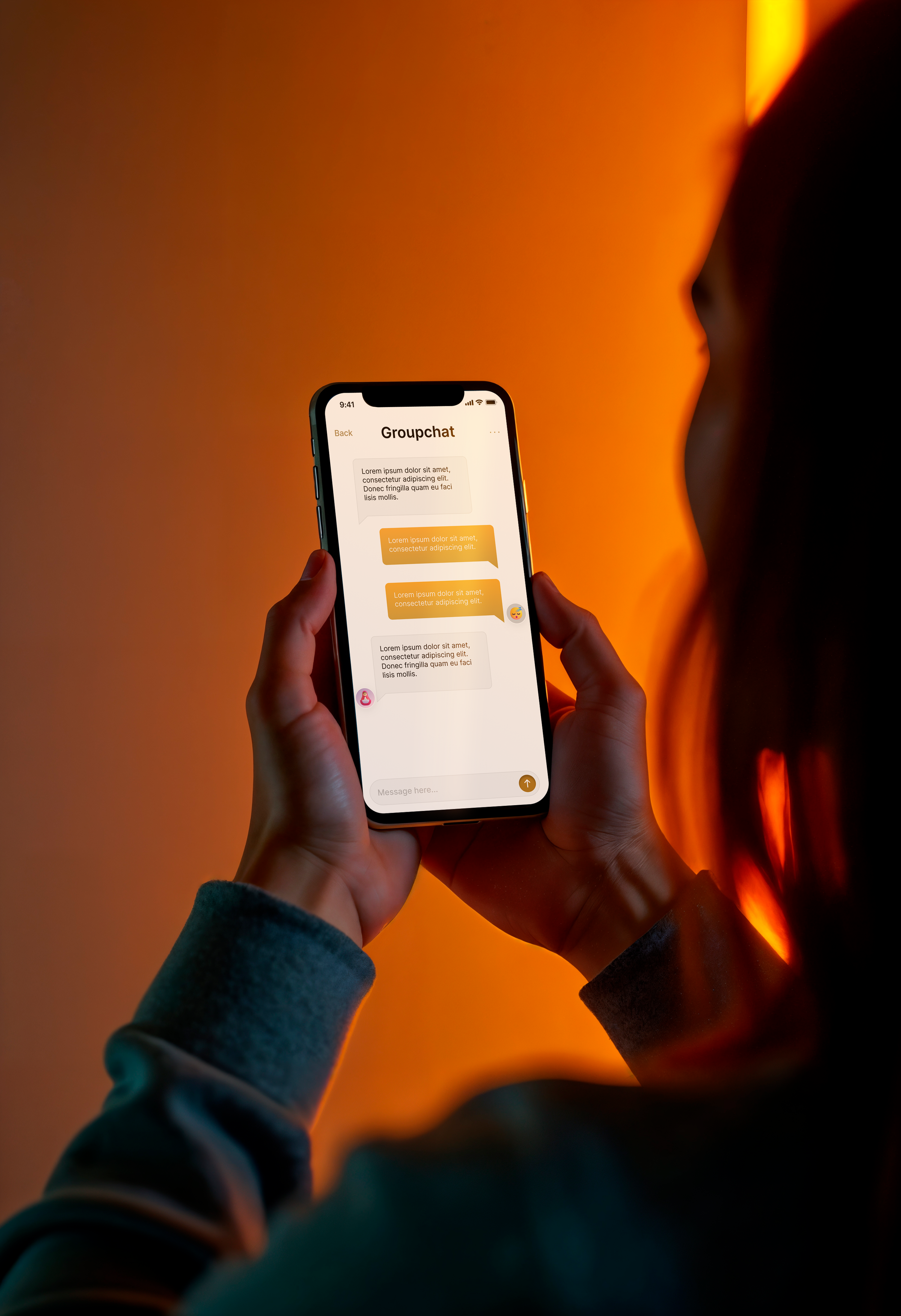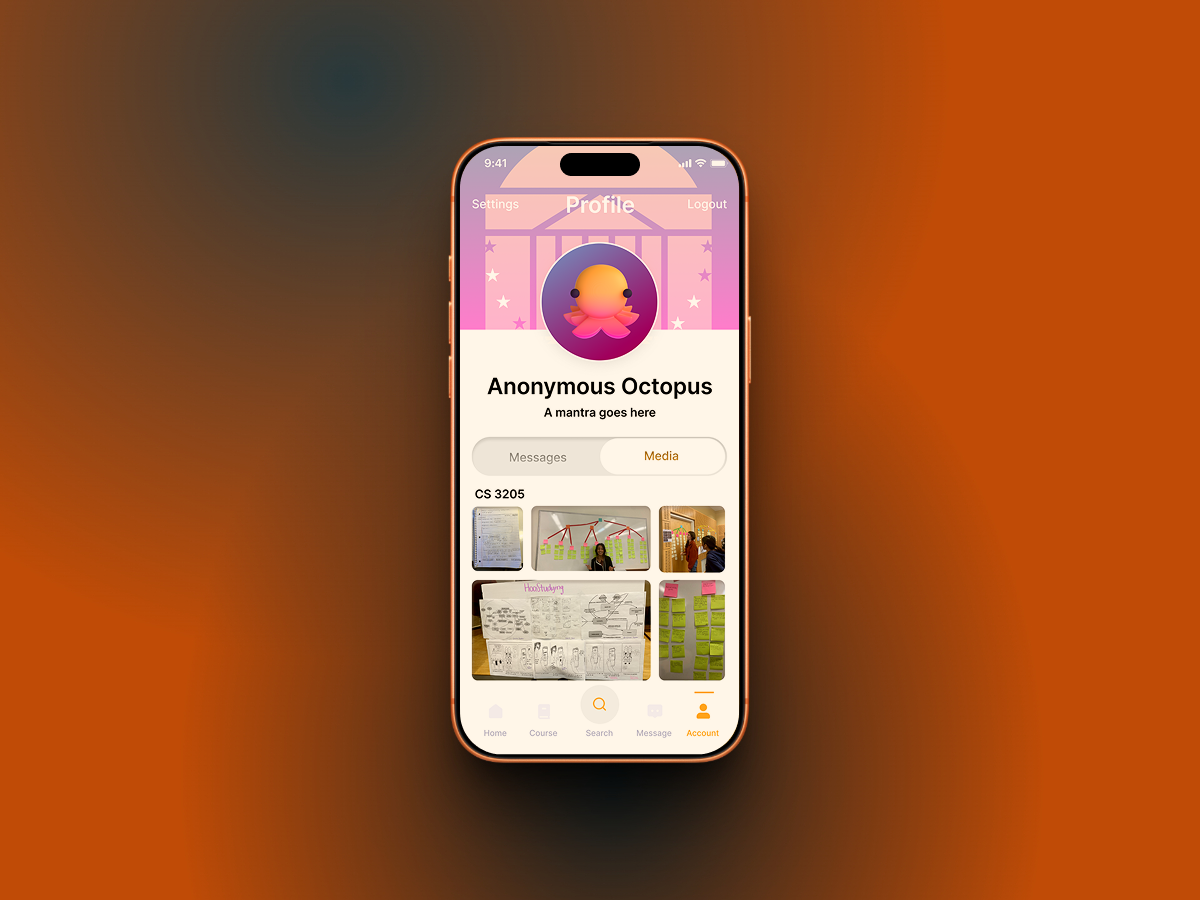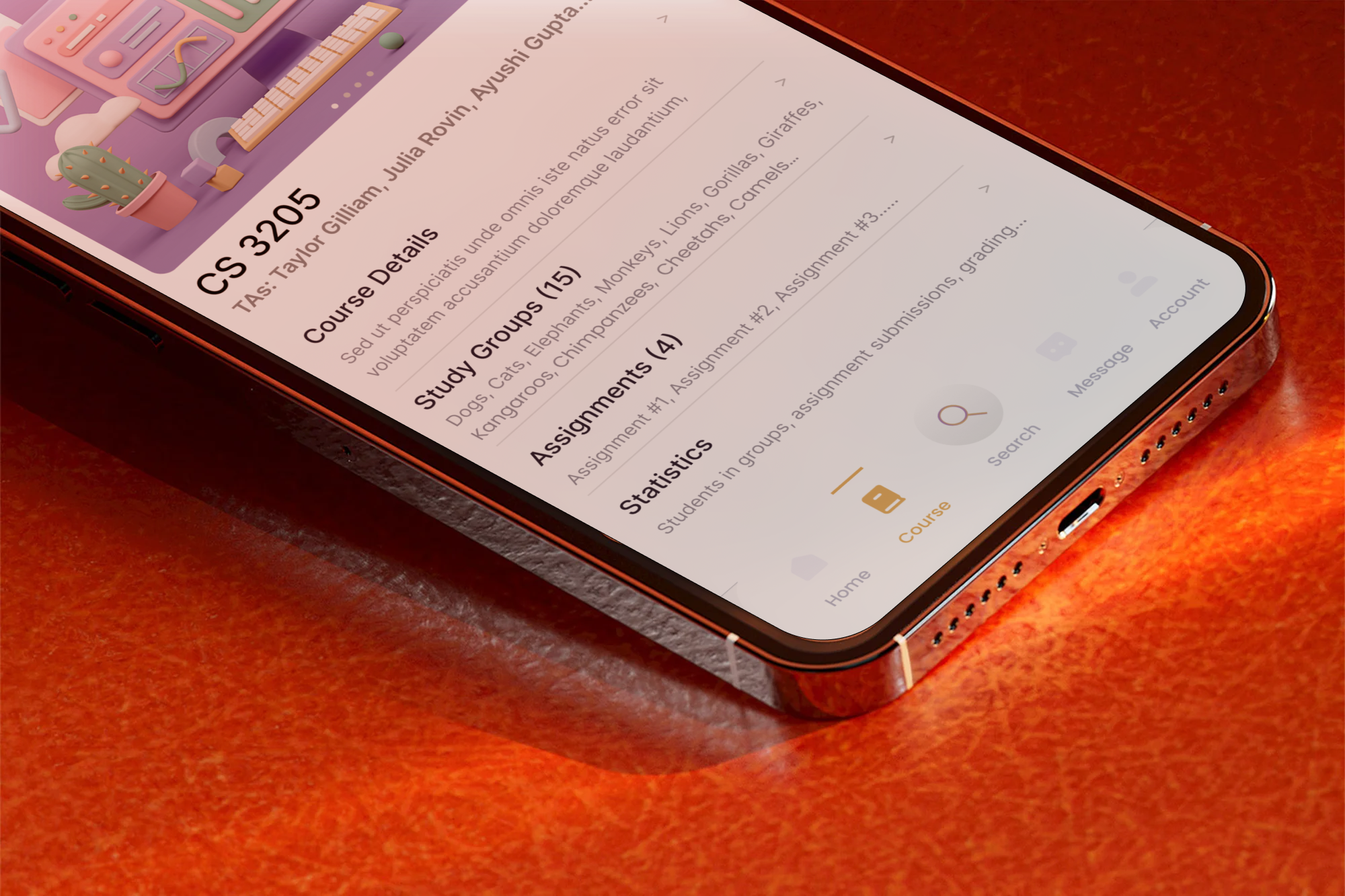
Group Collaboration and study session app for students, teaching assistants and professors
Timeline
January-May 2023 (5 months)
Tools
Figma, Miro, Qualtrics, Adobe XD, Visual Studio, UsabilityHub
Project Summary
Roles & Responsibilities
UX/UI Design, Prototyping, Infomation Archiecture, User Testing, Client reviews
Team
Hannah Vaccaro, Hayley Peterson, Heba Shaikh, Heba Imam, Vibha Mahesh
Designed a tagging system to randomize student groups and foster collaboration in group assignments through work study preferences and AI driven compatibility algorithms, connecting new students and organizing group submissions for professors.

OVERVIEW
STREAMLINING GROUP COLLABORATIONS & TEAM CONTRIBUTIONS IN ONE APP.
IMPACT
Hoo's Studying is an academic collaboration platform built for students, professors and teaching assistants to reduce friction in group formation and collaboration.
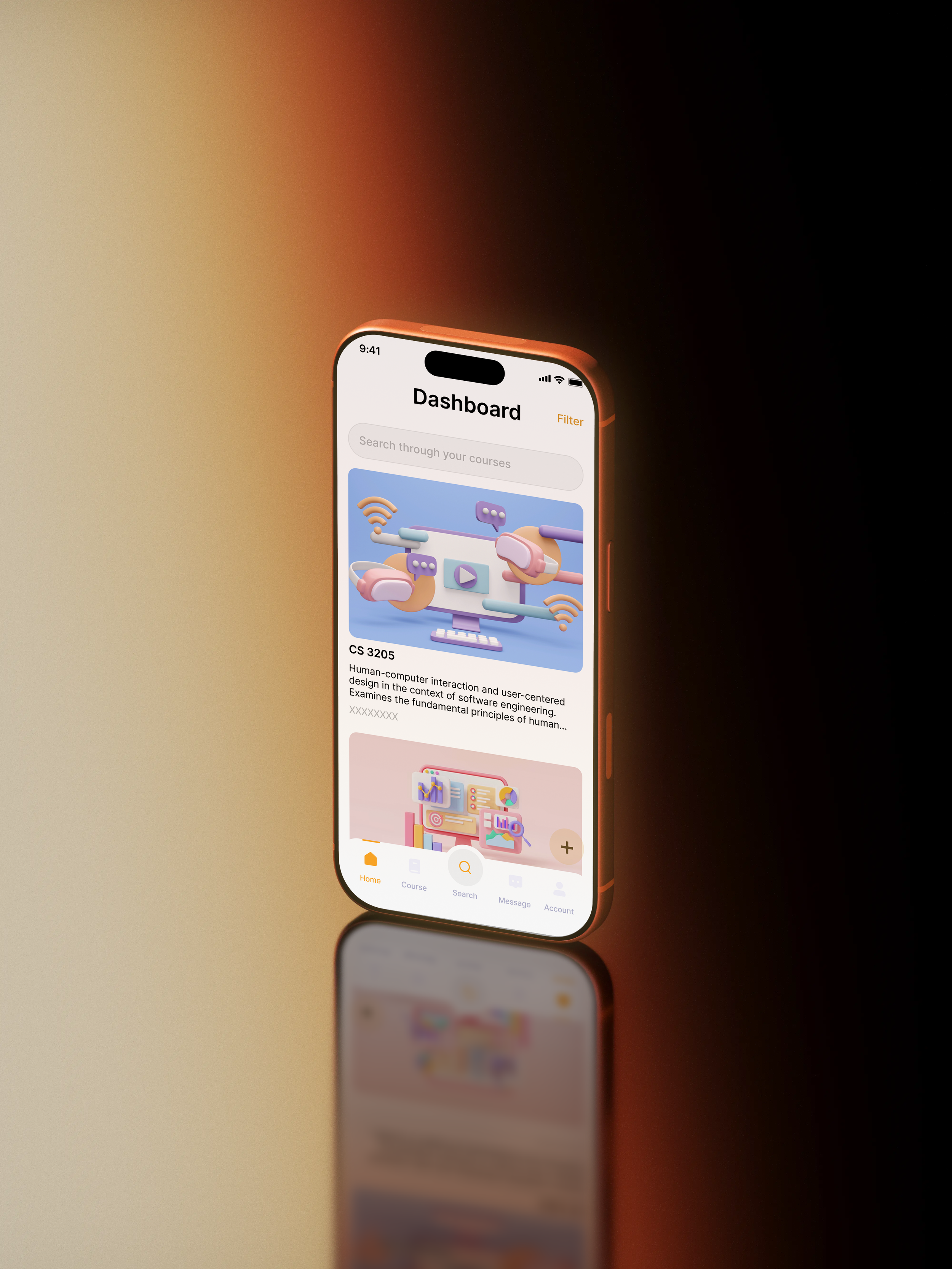
Professors can randomize group formation, by connecting complementary profiles, while students can post and discover customized study sessions using descriptive tags — filtering by subject, work style, or session type — to find collaborators that actually fit their needs.
What we aimed to achieve
ITERATIVE FEEDBACK
Feedback from Professors & TAs is available on-the-go, as group members can ask questions conversationally through groupchat with the group owner(s), rather than scheduling feedback sessions
The TLDR;
Designed a more effective & flexible group collaboration process for students, proctored by the professor & teaching assistants
EQUAL PARTICIPATION
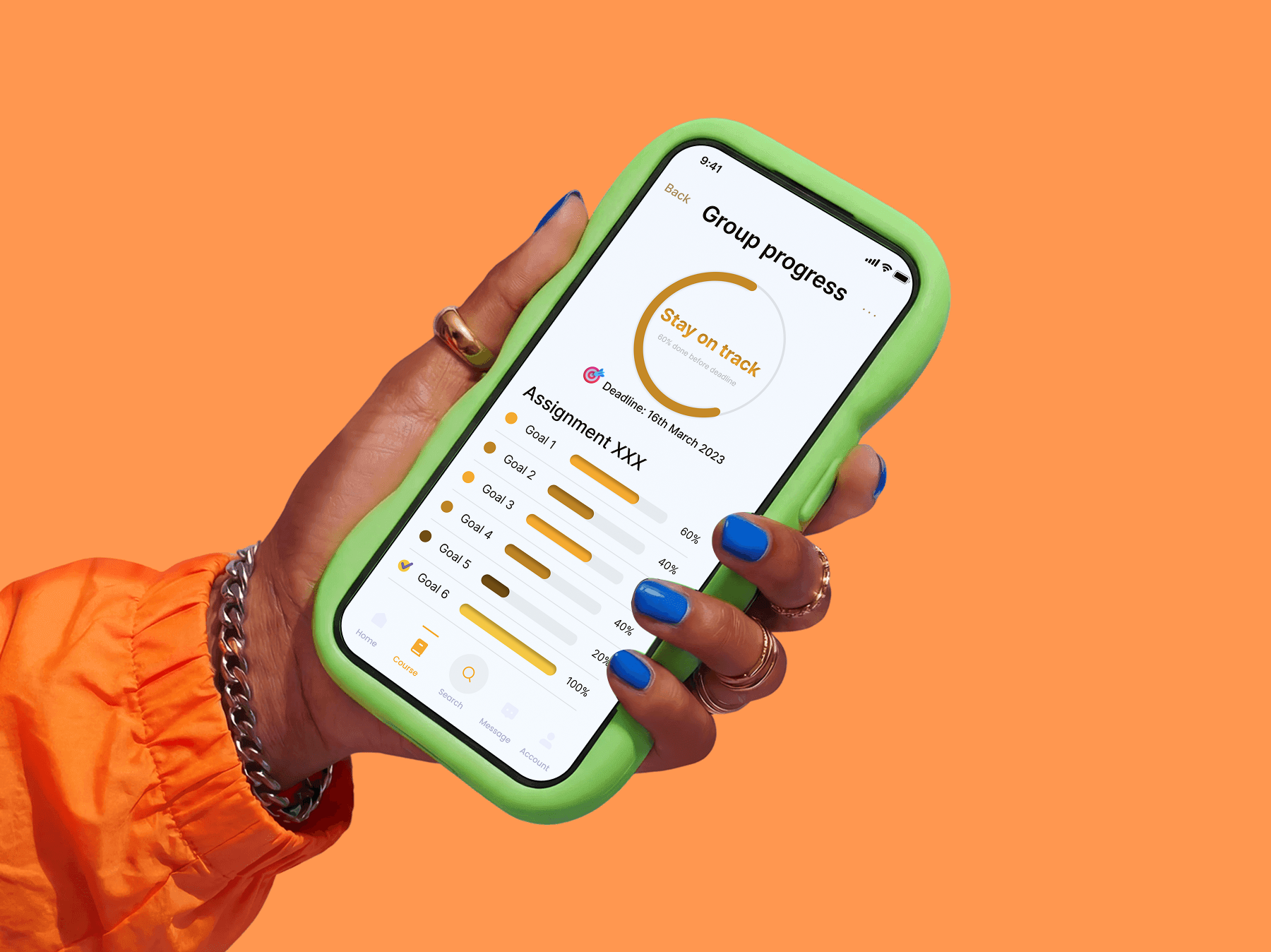
Increase in accoutability in collaboration as team activity is recorded per member, user commits, and a recorded summary of each user’s contributions is presented at the end of each submission
My Role:
Led the UX Design and evaluation methodologies in a team of 4 designers to build a scalable MVP, and pitched solution to stakeholders
SHARING ACHIEVEMENTS
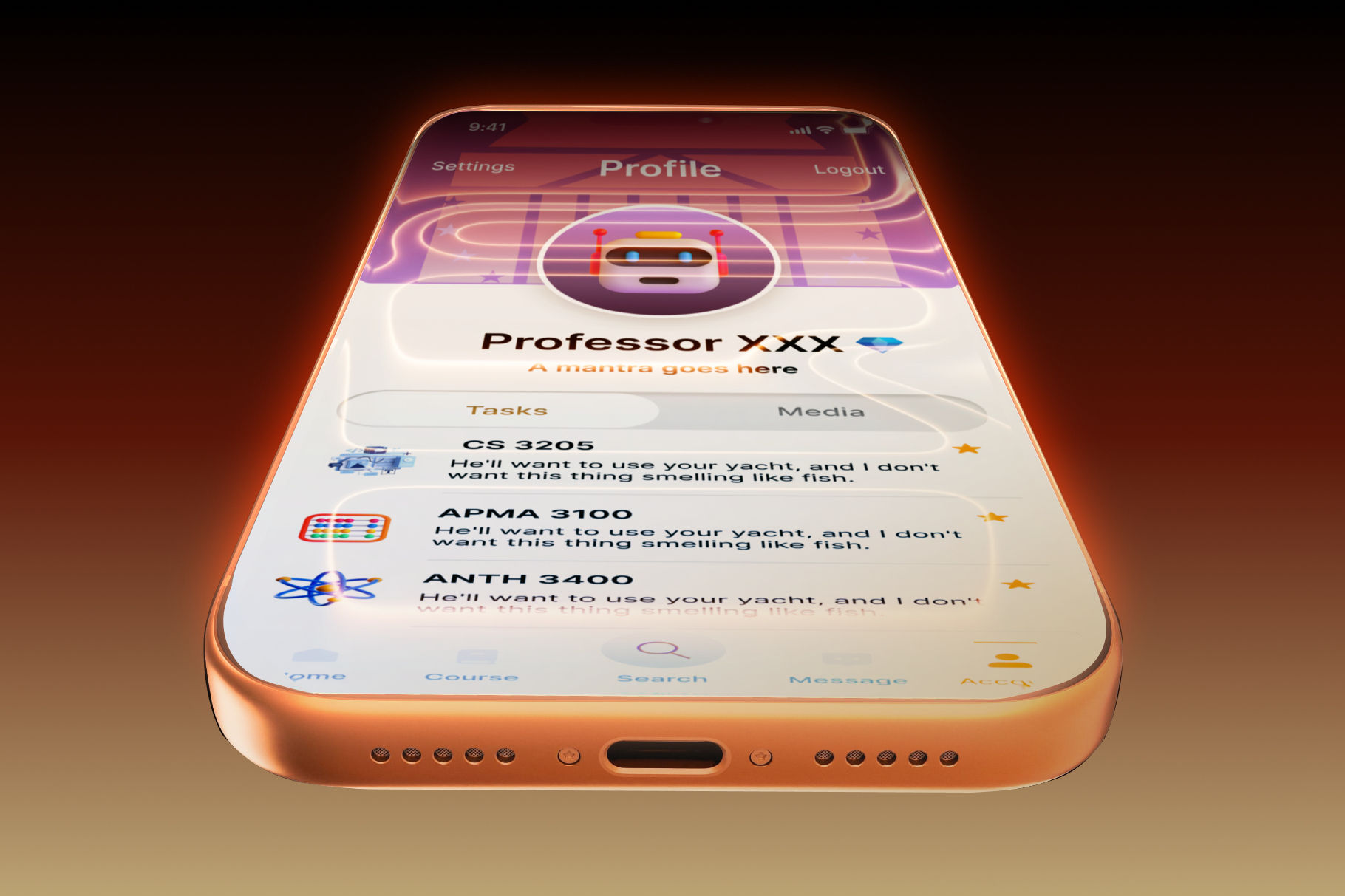
Past projects can be archived through a category system for organization, and work can be directly shared to Linkedin, Handshake and other professional career sites for gaining recognition
PROBLEM SPACE
Group Collaboration in academic settings is highly fragmented
Most college students feel uncomfortable approaching new classmates to build connections- especially when they are in a class where they do not know anyone. Professors also try facilitating conversations but find current group formation and tracking systems to be “inefficient and hard to monitor” and rely heavily solely on teaching assistants to create synergy within groups.
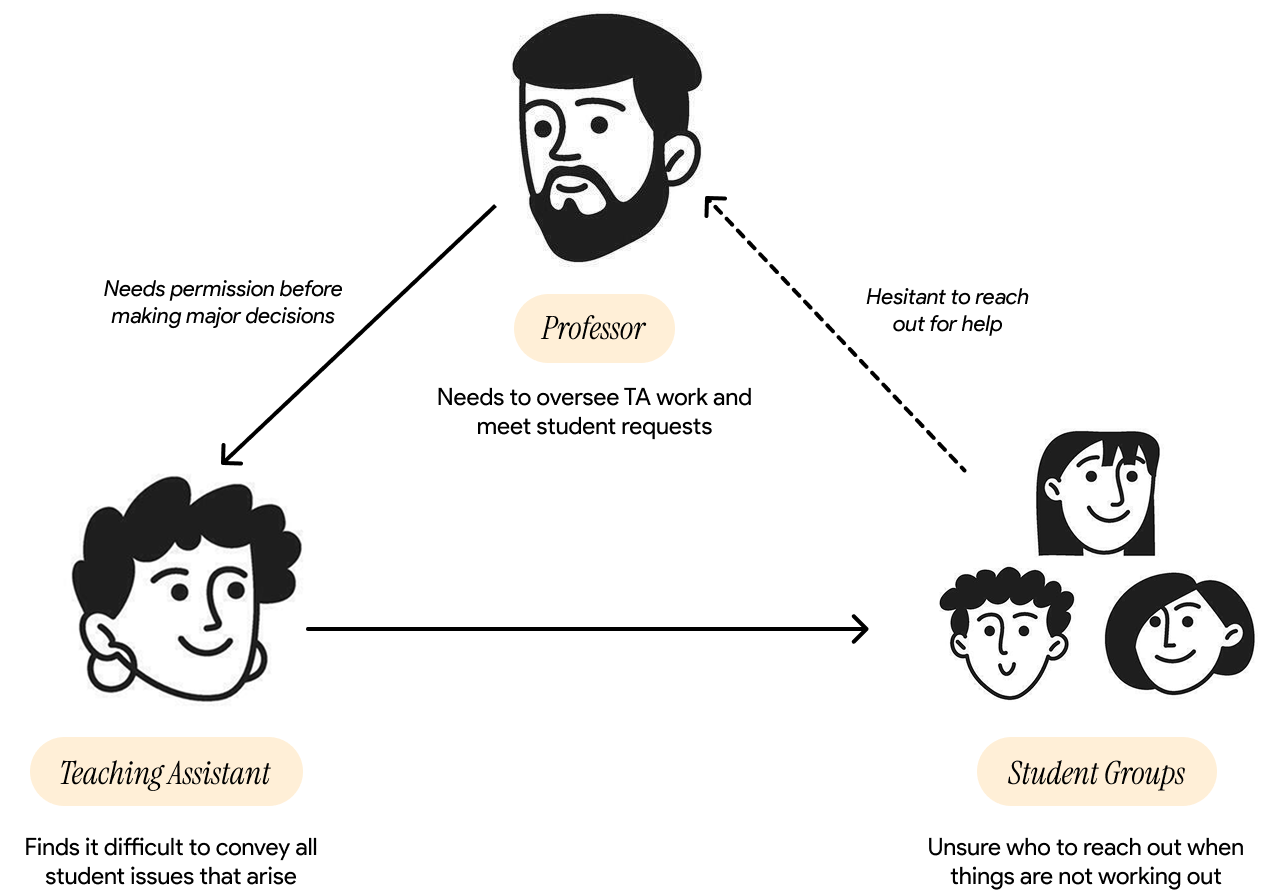
Studies also show that students are significantly more likely to flourish in their classes if they participate in peer teaching exercises and join group-study sessions to reinforce and build on what they learn in the class. This often results in better feedback and meaningful projects that showcase both personal and professional achievement. Therefore, we believe that students and instructors would both care and benefit from a solution that would address this problem space.
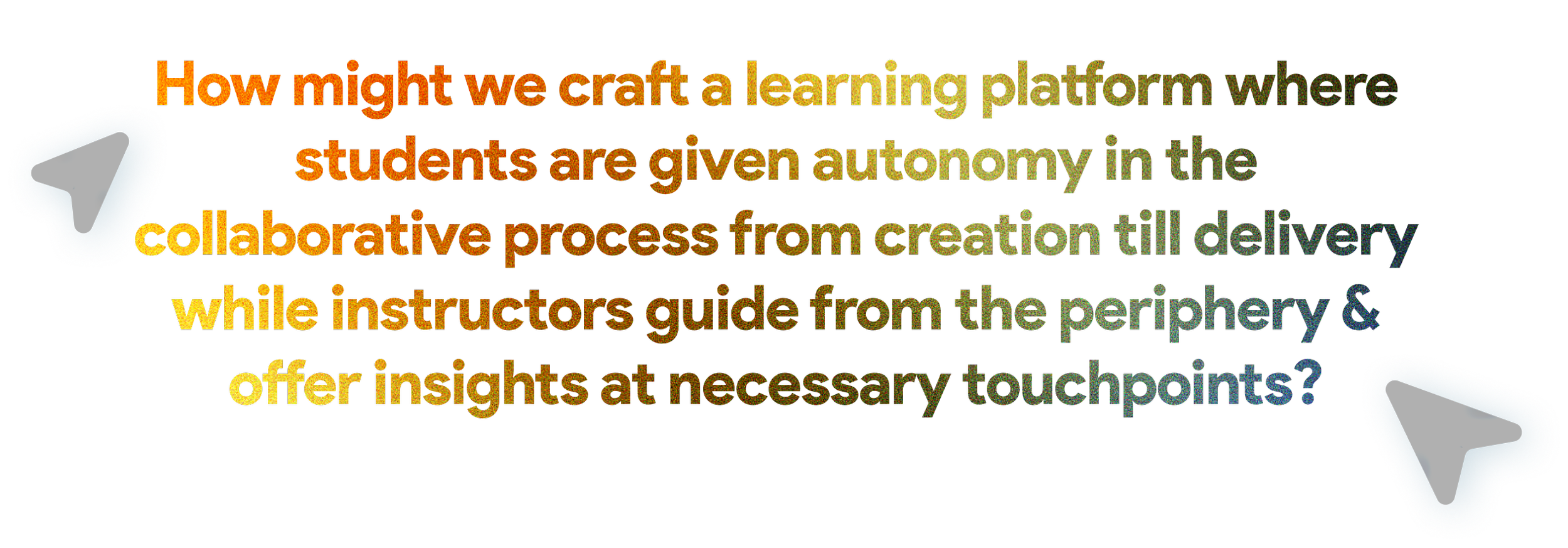
So, to begin our user research process, we asked ourselves-
A SNEAK PEAK
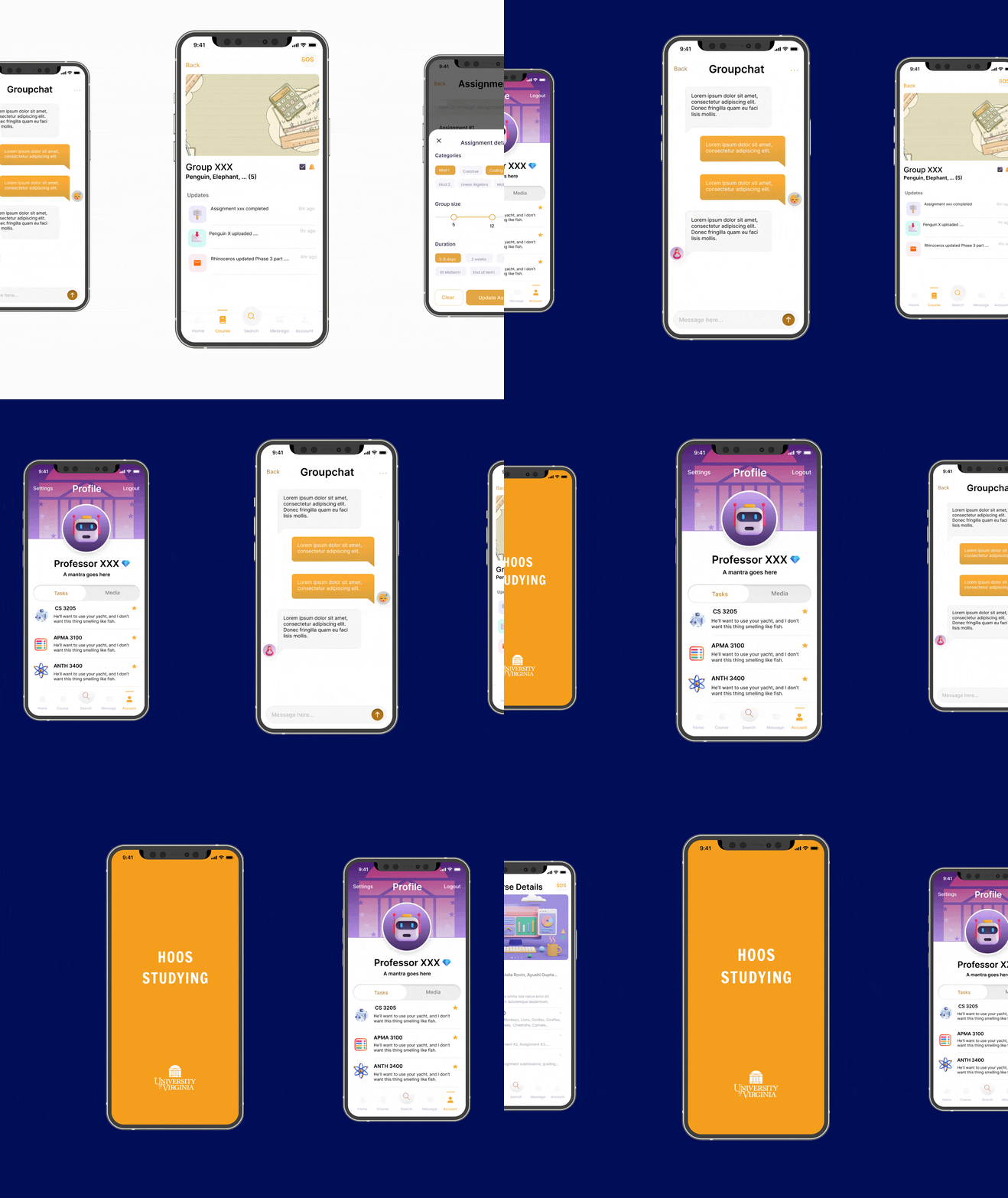
Our Final Solution
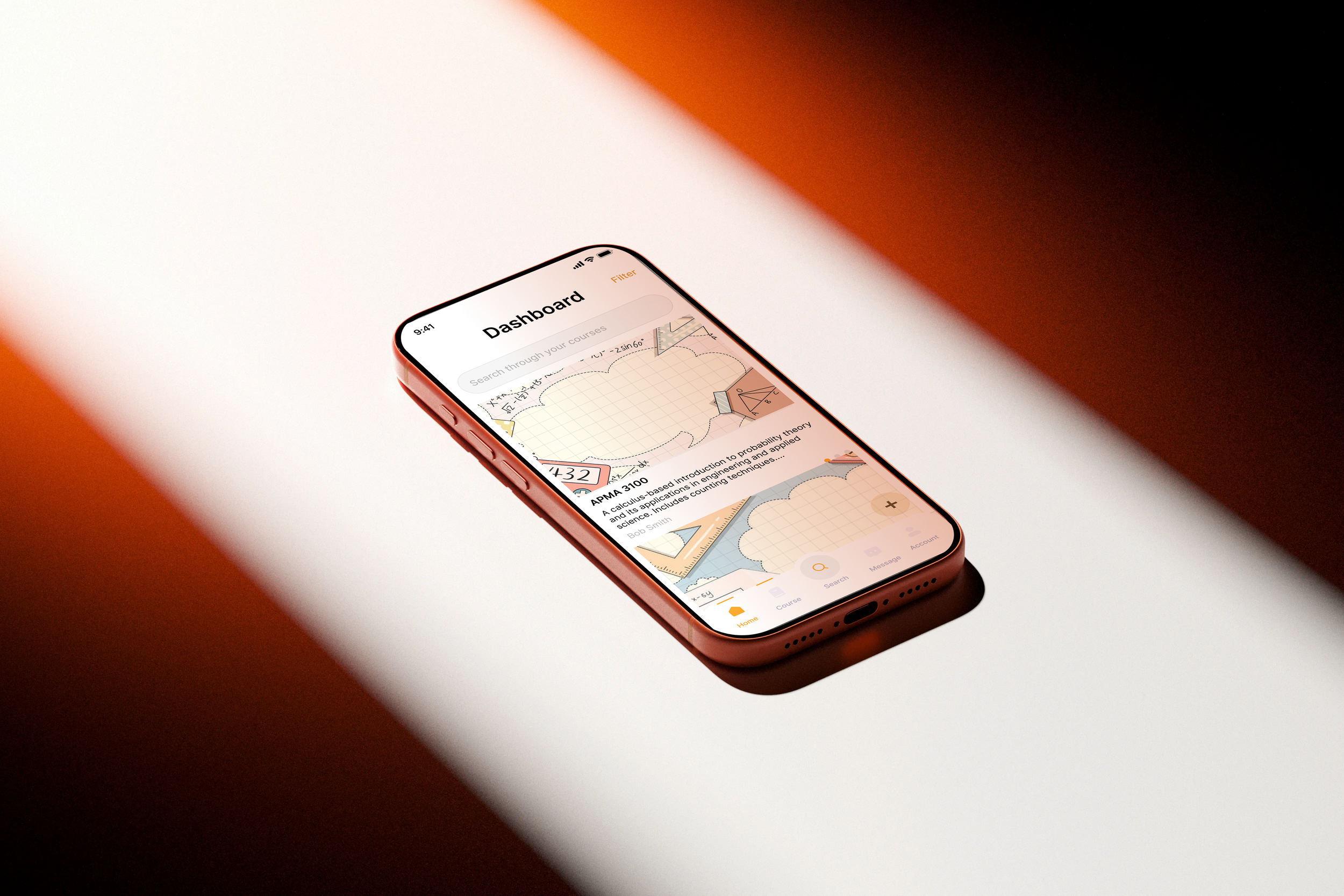
We developed a solution specifically tailored for program leaders, including a course management dashboard to oversee enrollment and an automated group matching system to pair students anonymously.
USER INTERVIEWS
Understanding our stakeholders’ needs:
✽ 29 Student Interviews
We divided students into (3) user classes- those with friends in the class, those with only acquaintances and finally, those who do not know anyone in the class.
The goals of the student interviews was to uncover specific needs and requirements that would affect their decisions in group selection process, and we wanted to accomodate for all user groups in the app’s onboarding process.
✽ 12 Professor Interviews
Most professor interviews took place during their office hours, when we were able to conduct contextural inquiries about their workspace and have them walk us through their workflows from start to end.
The goals of professor interviews was to gather evidence on current systems of use, how they initiate group making for collaborative projects and their overall reliance on teaching assistants to provide feedback on group assignments.
✽ 16 Teaching Assistant Interviews
For the teaching assistant interviews, we were categorized them based on number of teaching assistants in their class (if they were the only TA vs multile TAs) and inquired about how workflows moved from professors to students.
The goals of our TA interviews were to understand how they served the previous two user classes and balanced their needs with their own class schedules.

Sample Interview Questions:
What class(es) do you teach currently? (Evidence)
What is your preferred method of teaching? (Evidence)
Approximately how large are your classes? (Evidence)
How do students generally interact in your class? (Evidence)
Do you assign assignments in which group work is allowed/encouraged? If yes, why? If not, why not? (Painpoints)
Do you use another platform/software to group students based on different criteria? Why and which one(s)? (Painpoints)
Do you think students benefit from working individually on certain assignments? Do you have concerns about overemphasizing collaboration in any of your classes? (Painpoints)
Sample Interview Questions:
What class are your tutoring this semester? (Evidence)
What is your preferred methods of holding office hours? (Evidence)
Approximately how large are your shepherd groups? (Evidence)
Do you grade each group member differently in group assignments based on participation? If yes, why? If not, why not? (Painpoints)
Do you use another platform/software to track group work progress with the rubric? Why and which one(s)? (Painpoints)
How do students generally communicate with you? (Evidence)
Where do teaching assistants struggle with the making assessments on group assignments? How do they justify what grades they give members in the group? (Painpoints)
Sample Interview Questions:
Are you currently in classes that involve group work? (Evidence)
Do your professors usually facilitate interaction with your peers in or outside of lecture (Ex: assigning groups, asking you to speak to your neighbors, etc.)? (Evidence)
Do you have friends or acquaintances in your class that involves group work? (Evidence)
If you have friends, would you prefer to work with them in your group? Why or why not? (Painpoints)
If you don’t know anyone in the class, how would you prefer to be assigned to a group and why? {For eg., you can be assigned to a group randomly, choose group members yourself, or use the class discord to find peers who don’t yet have a group}. (Painpoints)
INTERVIEW INSIGHTS
Understanding our users wants & needs
The goal of our interviews was to discover differentiation points between the three user groups and uncover any common desires that connected them all. We also wanted to discover the top user frustrations in each target group, which would then guide our design implications and provide rational for building features during the ideation phase. By understanding our users’ wants and needs, we could connect them into the broader system requirements and the success metrics they should deliver.
U12-07
Professors often want groups to reflect diverse skill levels and perspectives ✺

U22-07
Students would like to have the choice of being randomly assigned to groups when they don’t know others in the class ✺

U5-12
Teaching Assistants are interested in the ability to communicate with students regarding group formation ✔
✺ Paraphrased Inferences from Interviews
✔ User Wants & Needs
✽ Students Insights | ✽Teaching Assistants Insights | ✽ Professors Insights
U4-06
Students value group work but find it hindered by differing availabilities or expectations among group members ✺
U7-03
Teaching Assistants believe group work should be equally delegated across team with defined roles and expectations ✔
U1-11
Instructors believe that while teamwork is a core skill but foundational material should be graded individually ✔
A THEMATIC ANALYSIS
Work Activity Affinity Diagramming
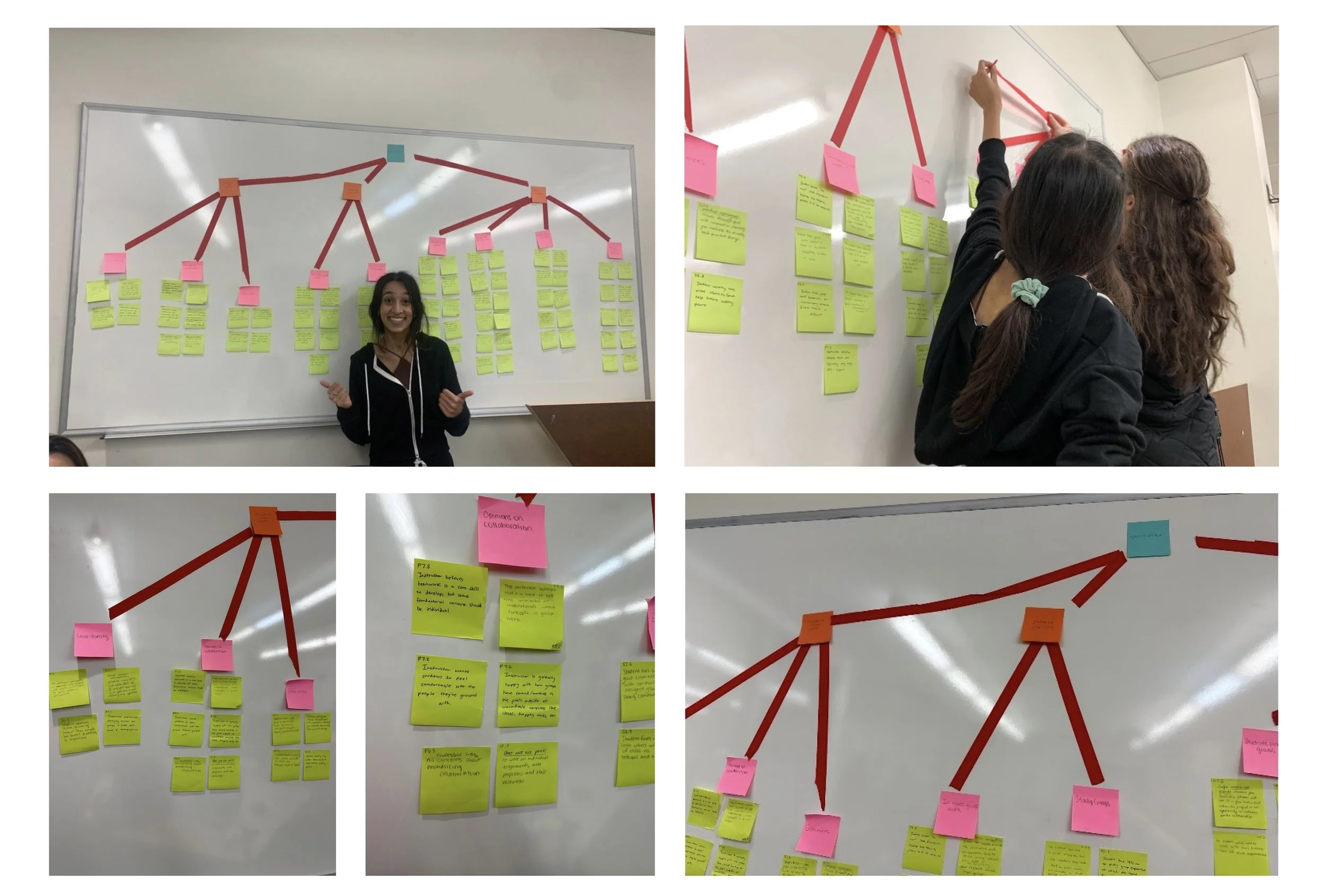
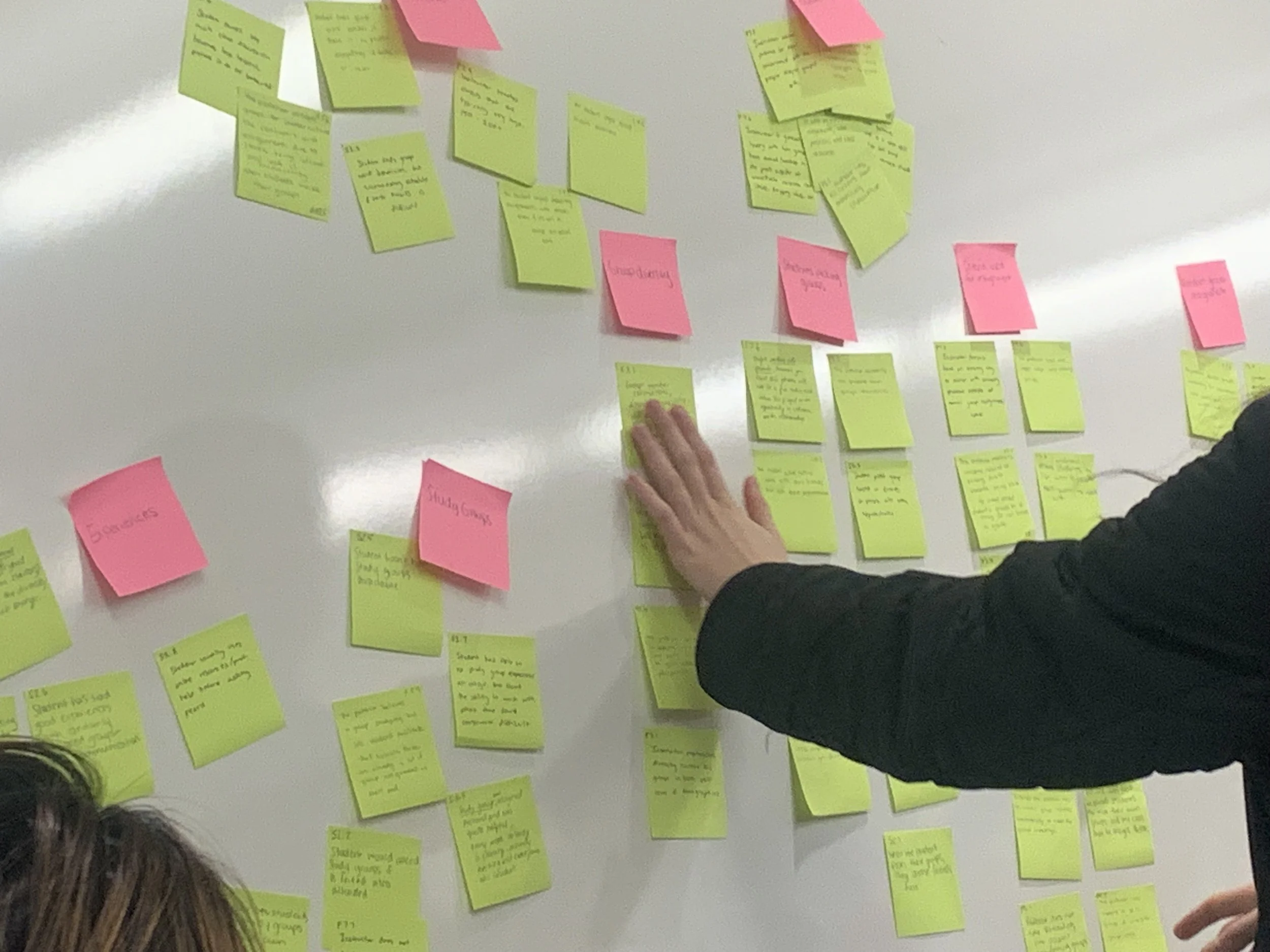
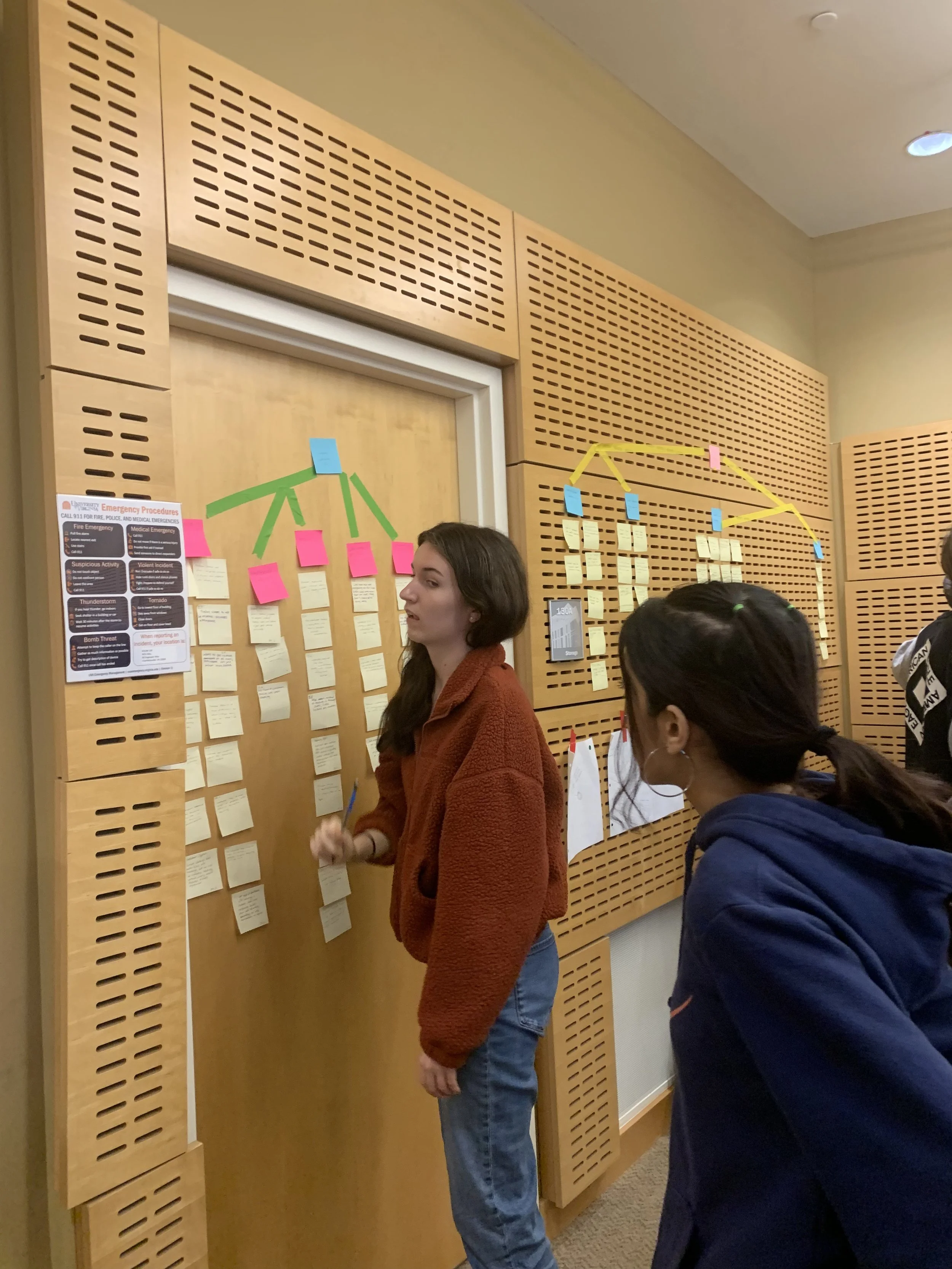
After extracting our work activity notes from our interview research data, we synthesized them into bite-sized chunks of key tasks performed by users. Each cluster was labelled with an overarching idea in the user’s narrative voice. We then identified similar categories and combined them into three broader categories, ranking their hierarchy by different colored stick notes. The main ‘blue’ category, labeled as "Group Work," encapsulated the central theme of our interviews.
"Thoughts on the current system"- This category includes notes on students' and professors' opinions about the gaps in current group assignment process.
"Student-led group work"- This category focuses on students' experiences working in groups, both in class and within study groups, as well as professors' perspectives on group projects.
"Group Formation"- This category covers the technologies and criteria professors use for creating groups, along with students' experiences and thoughts on choosing their own groups or being assigned by professors.
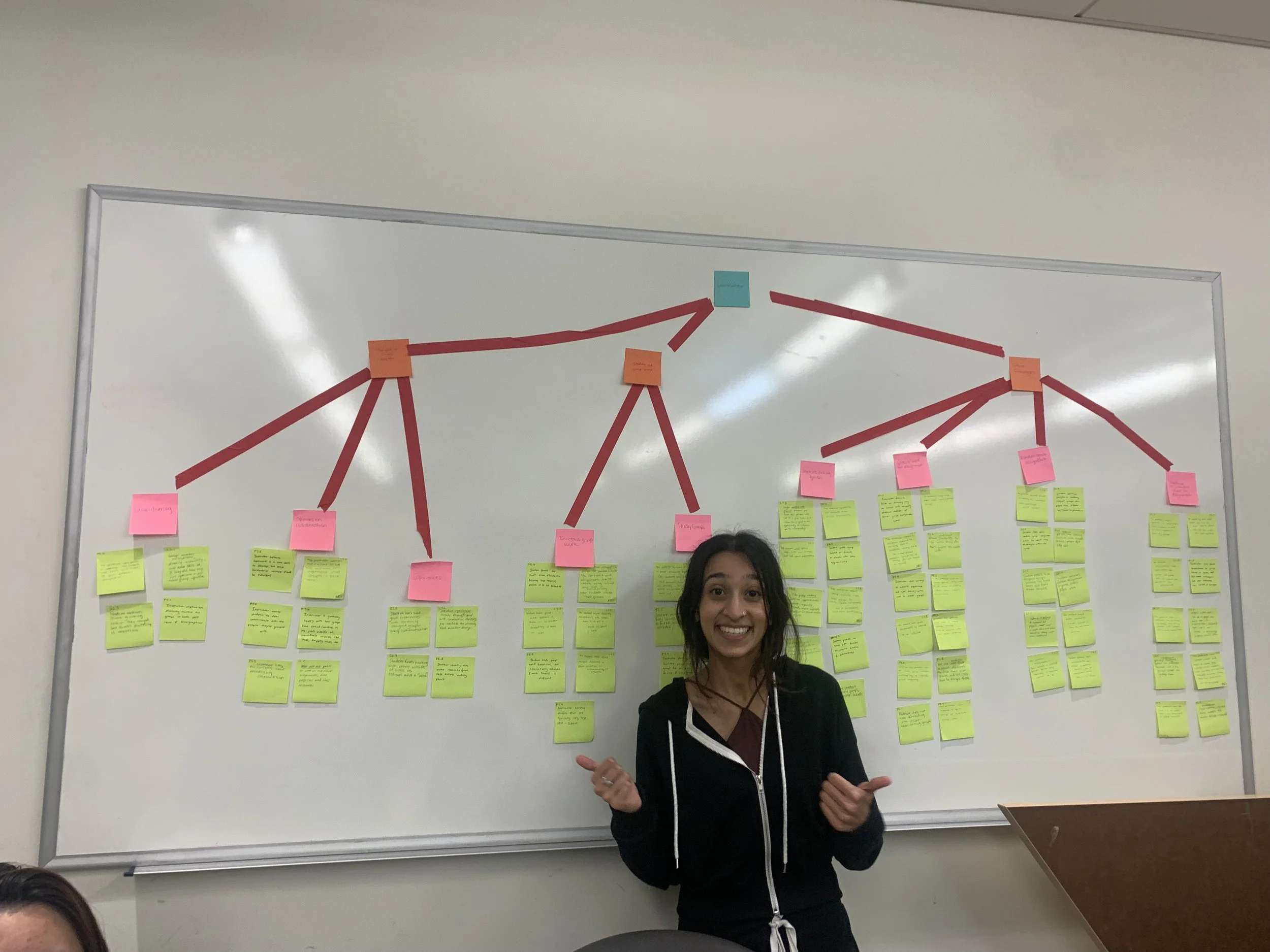
AFFINITY MAPPING
Key Themes we noticed
✺ Privacy is vital to increase engagement with new classmates
Students prefer anonymity while selecting their groupmates, and would like to be in a private viewing mode until someone accepts the request
✺ Students want defined roles so everyone is held accountable for their work
While students want independence in their group work, they also want their peers to be accountable and take on roles that if not followed would have consequences
✺ Instructors are interested in group dynamics and participation
Instructors would like to know how the assignment was distributed across group members and individual contributions based on user’s activity
✺ Teaching Assistants want to balance between being moderators and evaluators
Teaching assistants want to help students throughout the project, but balance their workrole with being effective evaluators to the projects
USER FLOW & CONTEXTUAL INQUIRY
Diagramming for System Improvement
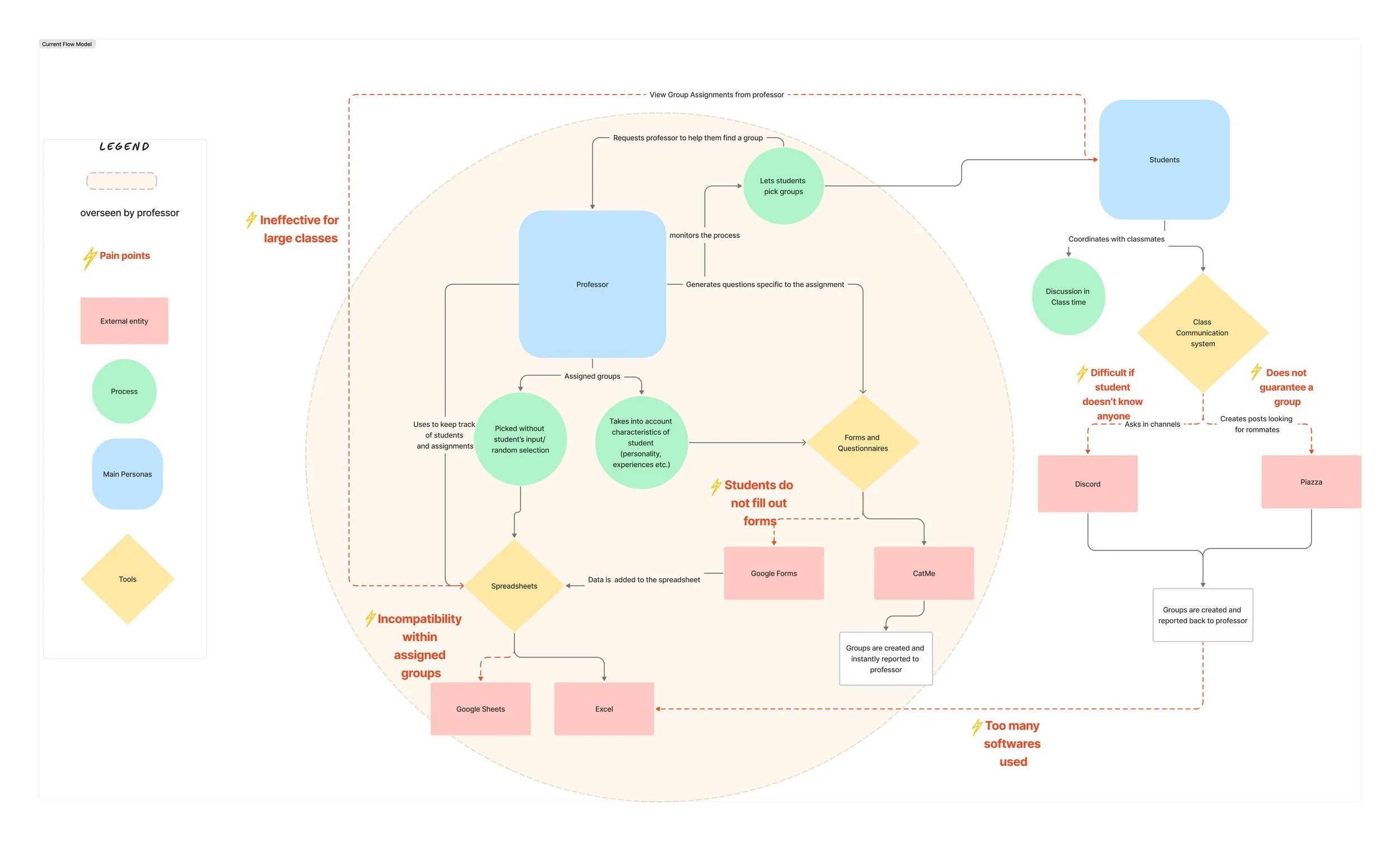
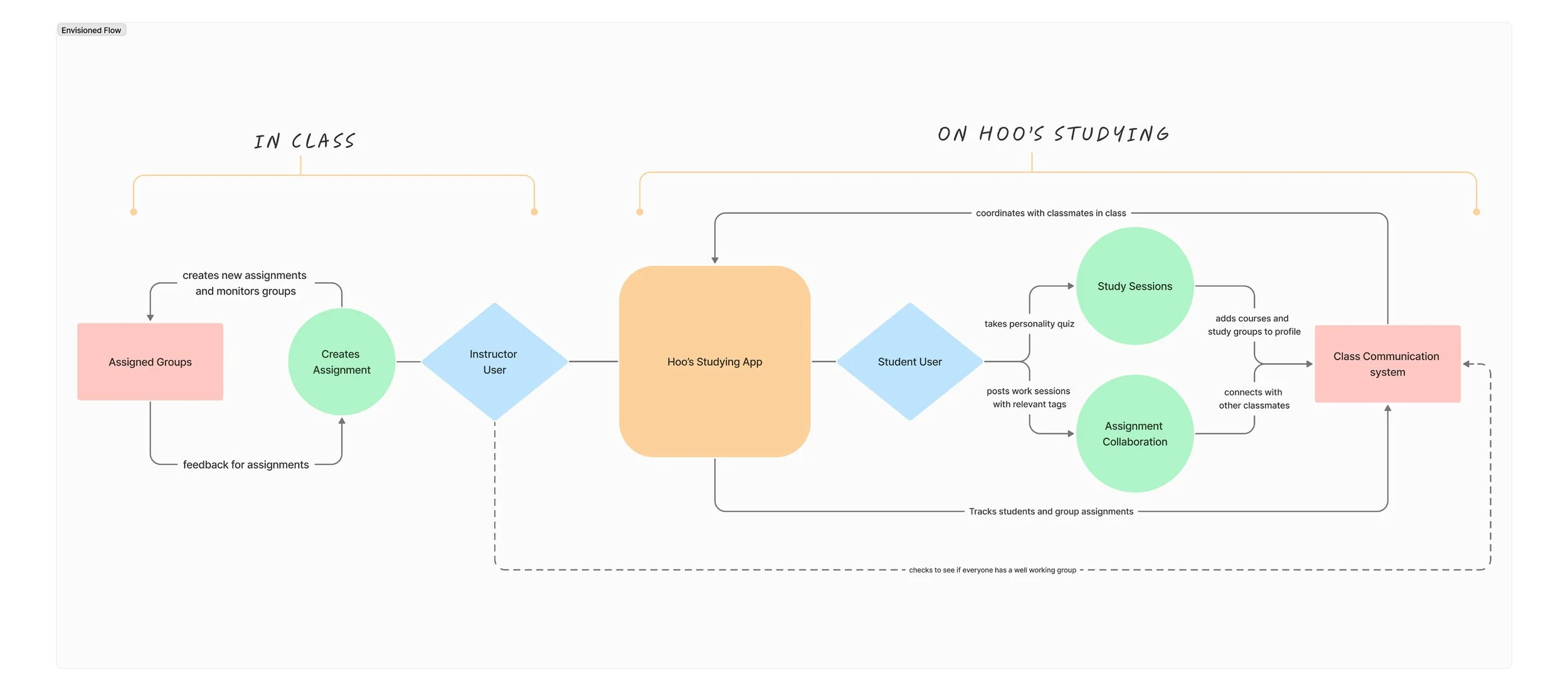
We wanted to uncover hidden painpoints within the broader system of use (technology, infrastructure, in-class workflows and outside-class usage scenarios) that could pinpoint where the most friction was coming from in the current task flows. So, we observed instructors and students in their workspace environments and conducted ethnographic field studies to validate their real world behaviors. This helps us map out true frustrations along the user journey of different workroles and find points of intersection to steamline the interface experience in Hoos’ Studying App.
The model above is a representation of a current task flow of how professors tend to create groups whether it is assigned or not and how they choose to represent or organize the groups. The model highlights the common technology and applications that the professors and students use for forming groups and communicating with teammates. This diagram helped uncover underlying mental models and which areas of the system to prioritize in Hoo’s Studying App.
The improvised model above is a representation of the envisioned task flow through the Hoo's Studying App. Since the app streamlines and integrates various software and APIs that the professors use in the current flow model, the envisioned model is more streamlined, efficient and concise- serving as the ideal blueprint for collaboration for all our stakeholders’ jobs to be done.
Informed Information Architecture
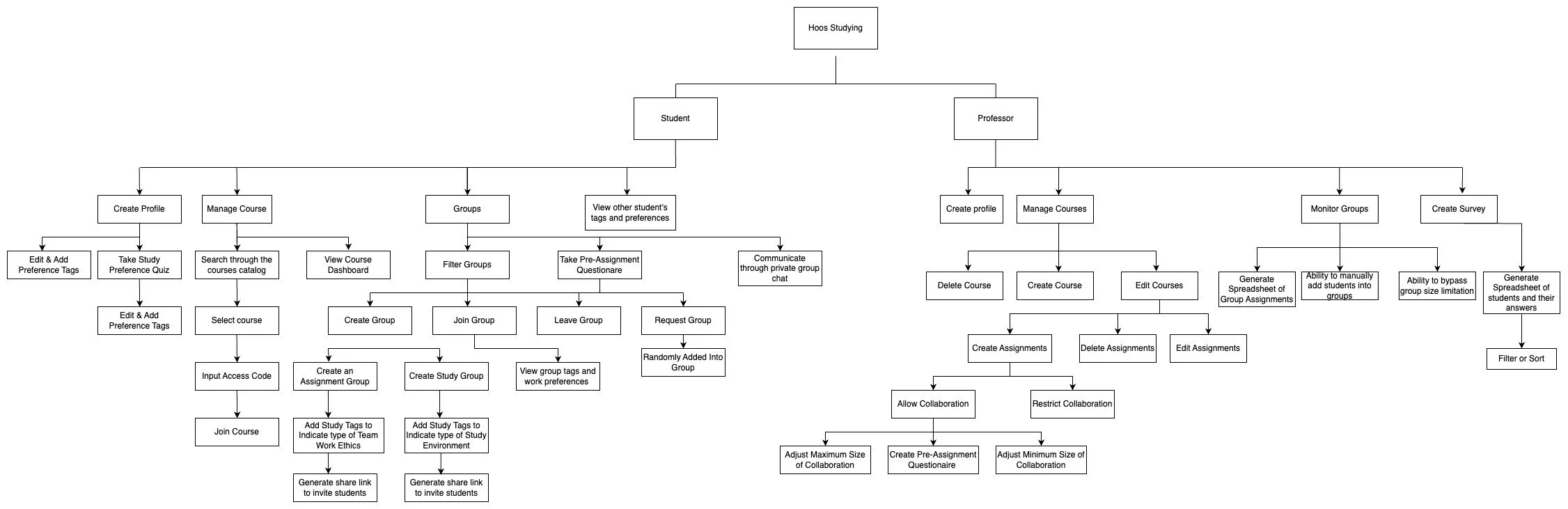
The Hierarchical Task Model allowed us to better envision all the tasks and abilities the users need to complete, and how we might go about implementing that into the system. We took notes during the interviews and incorporated ideas suggested by stakeholders into information architecture, and will continuely iterate during the design process
USER PERSONAS & SCENARIOS
Designing for our Target Users
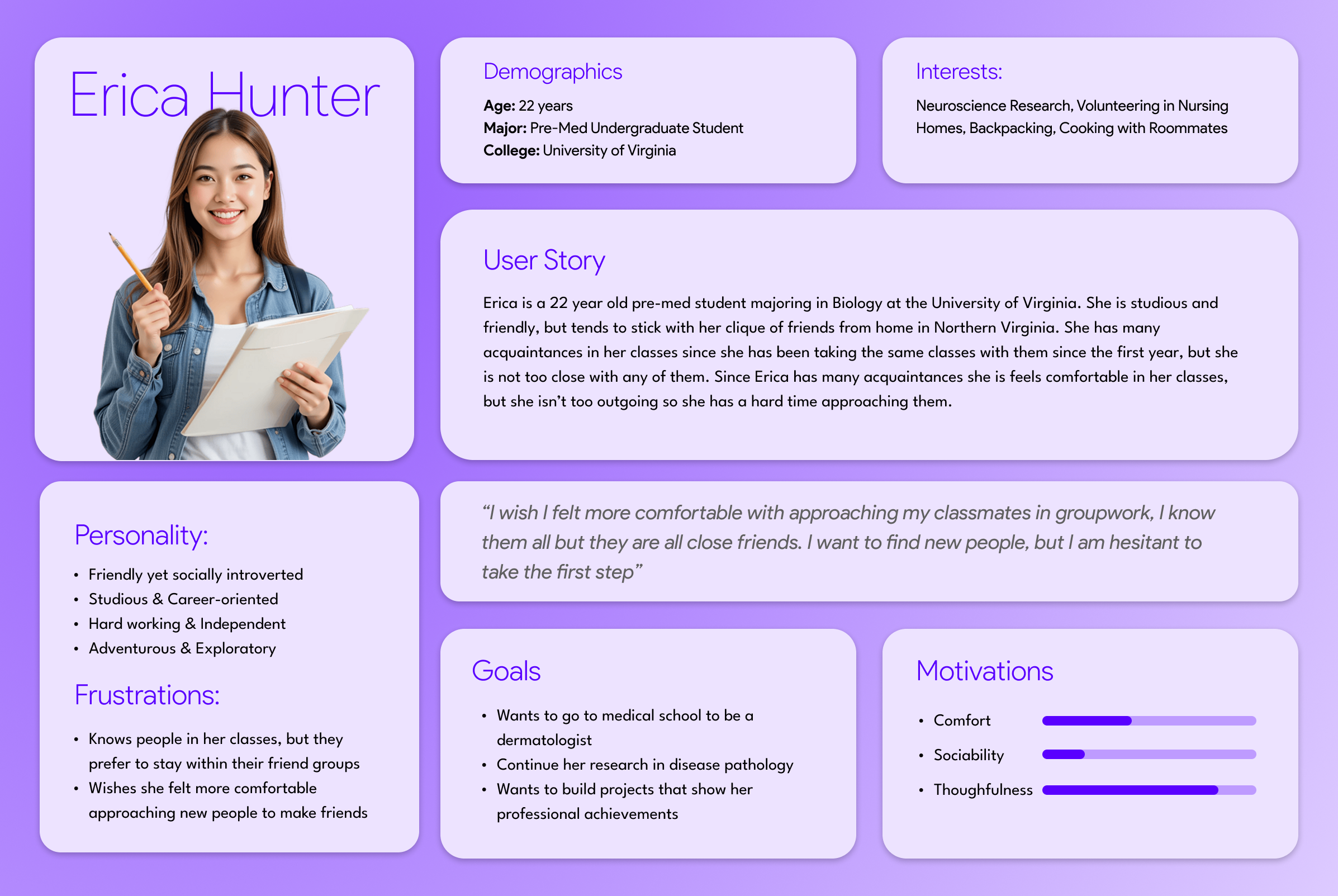
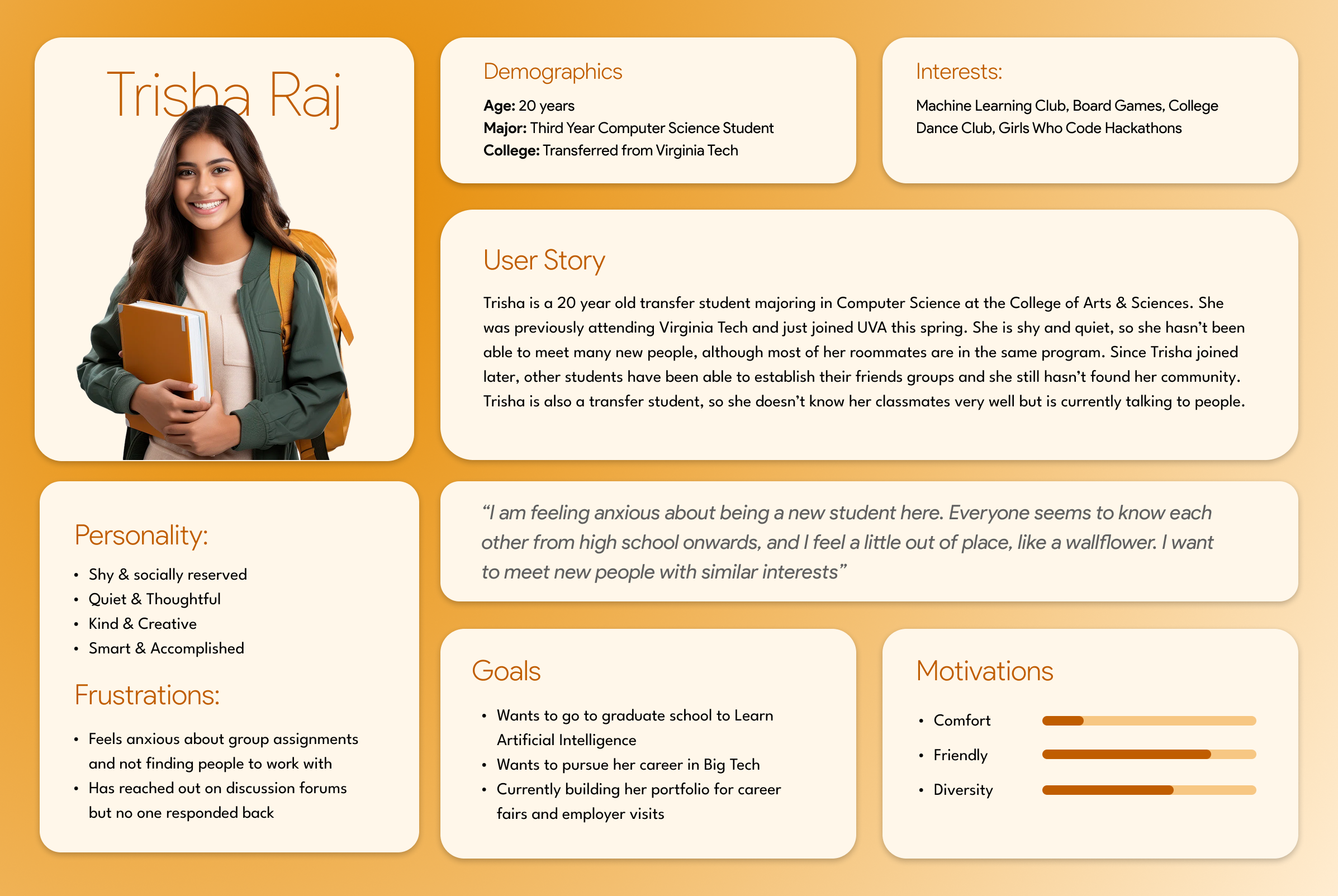
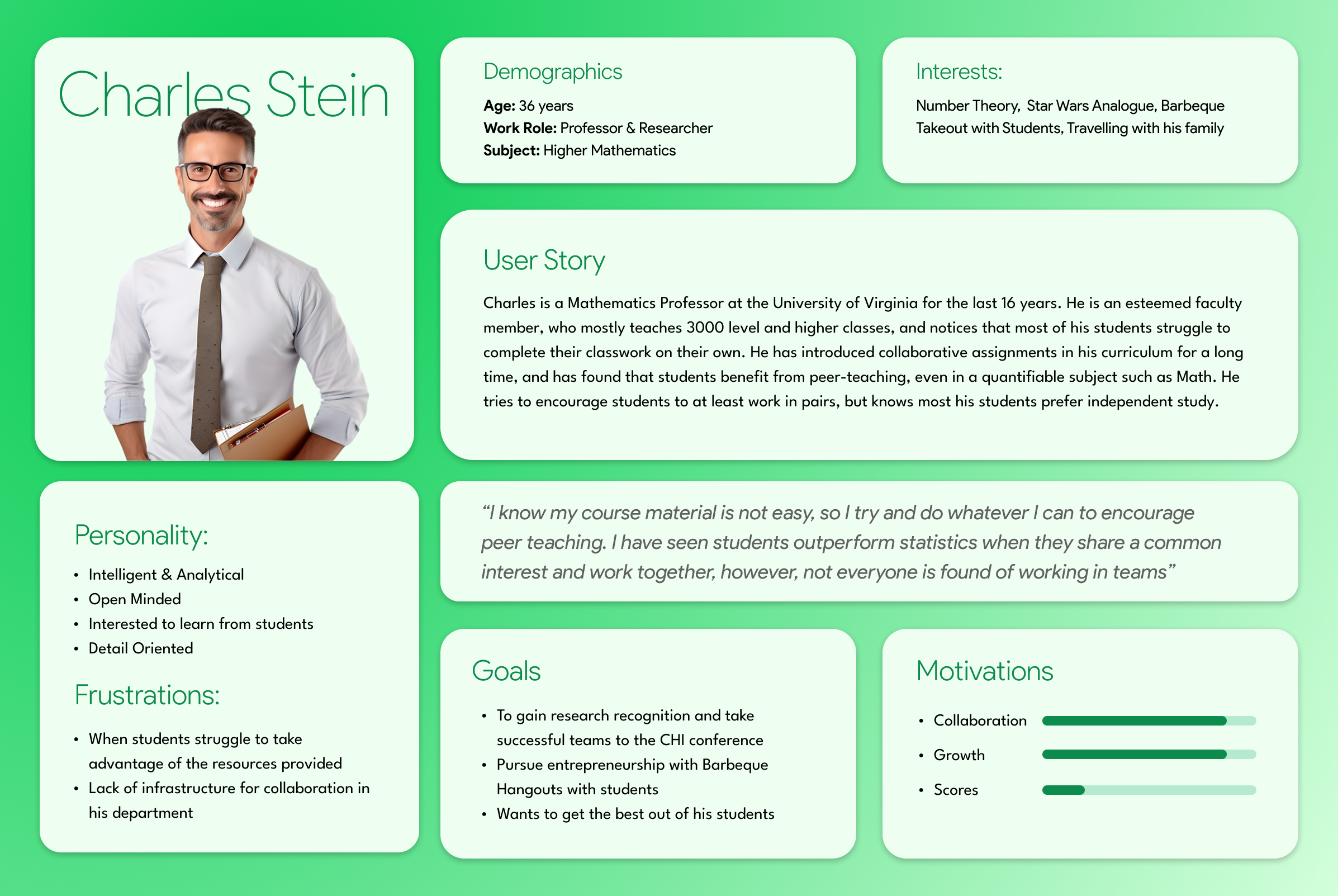
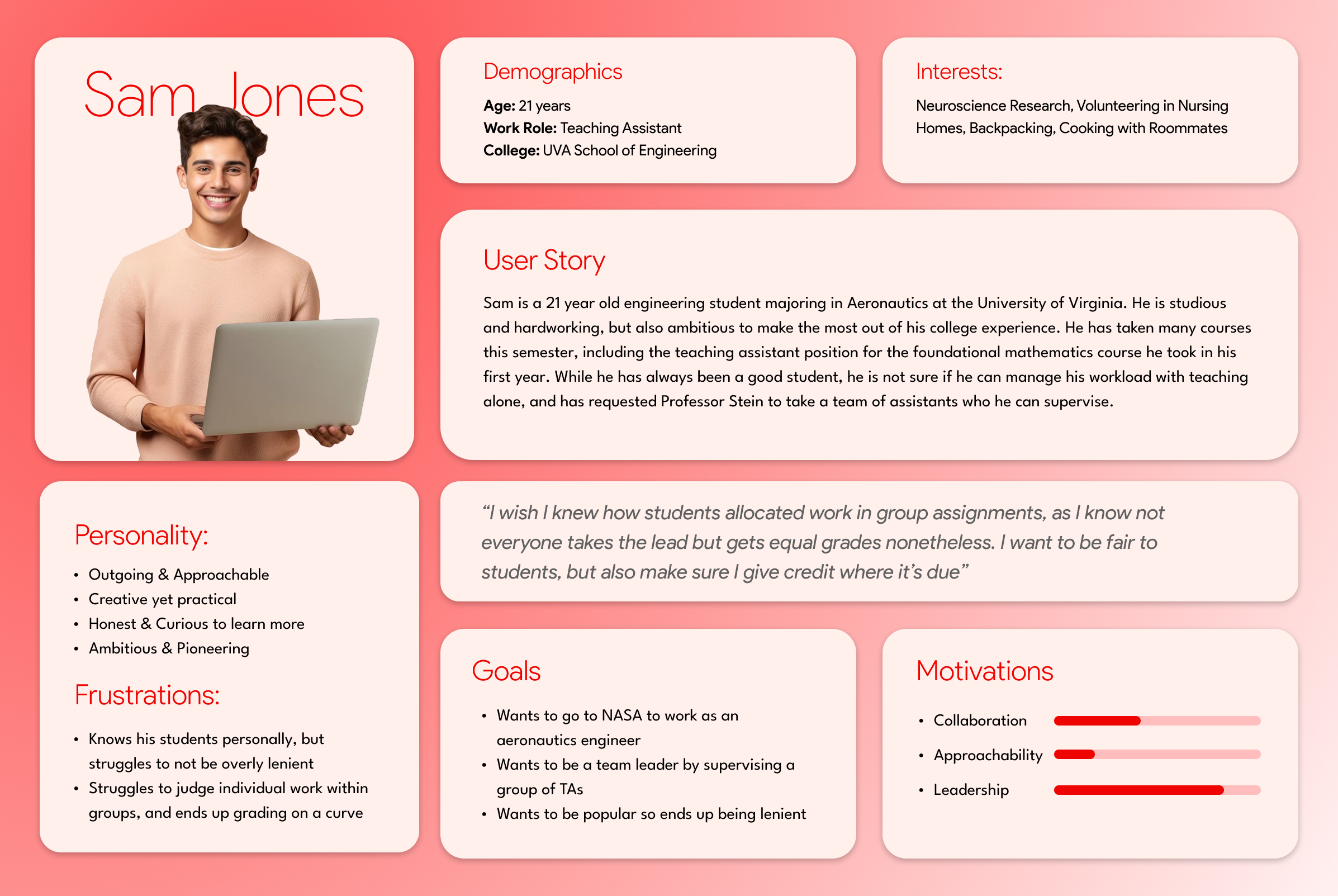
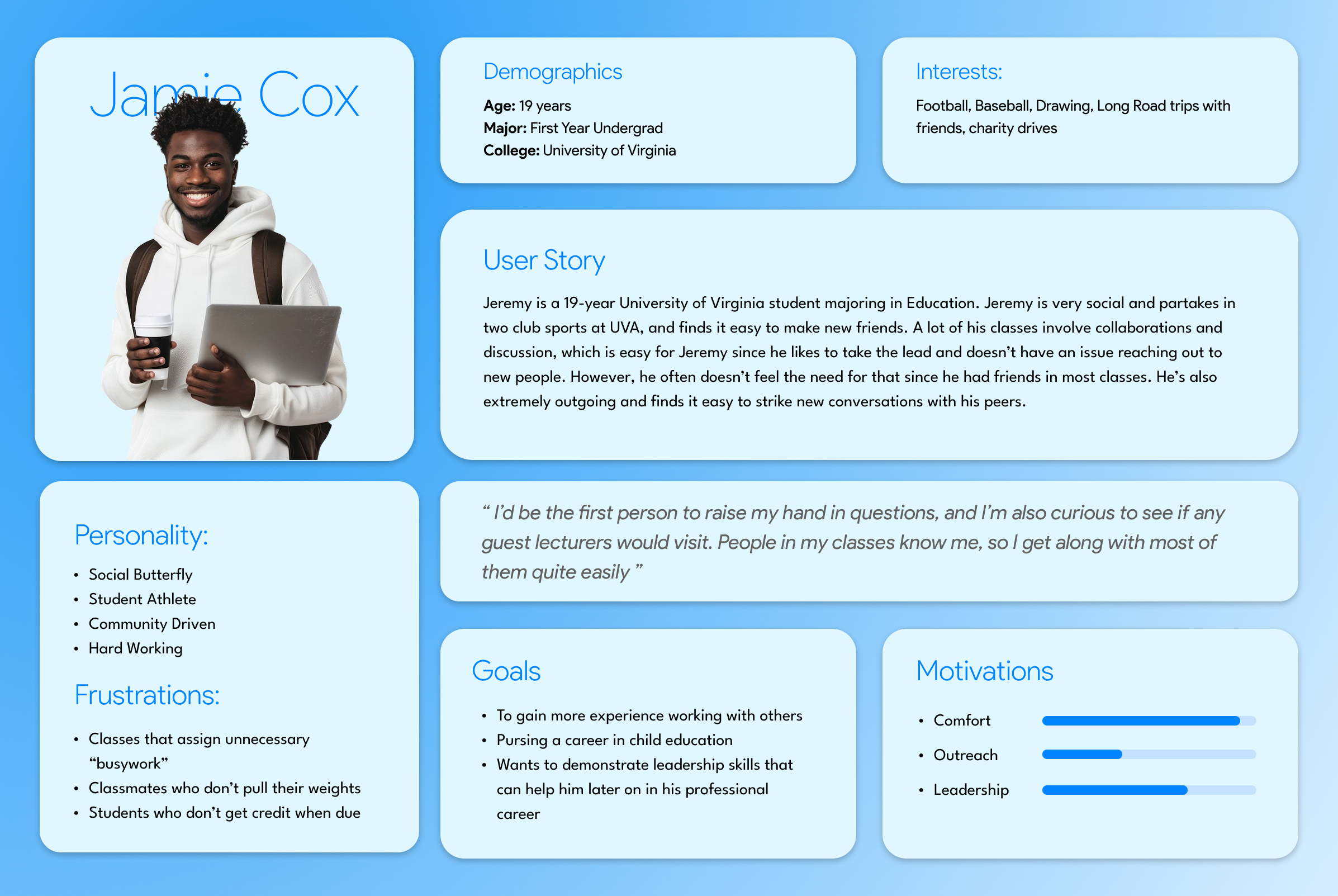
Using the quantitative and qualitative data from interviews and survey results, I defined the three target group profiles Trisha (Student, 20), Jamie (Student, 19), Erica (Student, 22) and course instructors Charles (Professor, 36) and Sam (Teaching Assitant, 21) to better empathize with my main user groups and prioritize goals according to their needs.
✽ Student User Scenario
“Since Erica feels anxious about the group assignment and not being able to find people to work with, she tried other options to find a group for her assignment. The course uses piazza for students who need help or have questions, so Erica made a post on the platform looking for others who need a group.
There was no response, so she decided to look for other methods such as the class communication platform, discord. No one was responding on either platform, so Erica felt defeated and wanted to give up.”
✽ Professor User Scenario:
“Charles also encourages all of his students to work with others outside of class on his written homework assignments, which are known for being particularly difficult. He knows that these assignments can be daunting to complete alone, and has noticed that his quieter students rarely show up at office hours, and frequently this is reflected in their performance on the assignments.
Charles wants a way to integrate these students more into the class, but the curriculum for his classes doesn't have any groupwork involved. Currently, he is looking for possible opportunities to involve his less active students.”
EMPATHY MAPPING
Conceptual Sketches
We made 3 conceptual design sketches using user personas to help identify potential breakpoints and risks in their task flows early in the design process. By creating these quick iterations focused on three different perspectives of design thinking, we wanted to validate and refine our concepts, reducing the likelihood of costly errors or usability problems later in the development cycle, when we would start building prototypes and conducting user testing.
✽ Emotional Perspective
Student’s Work Role:
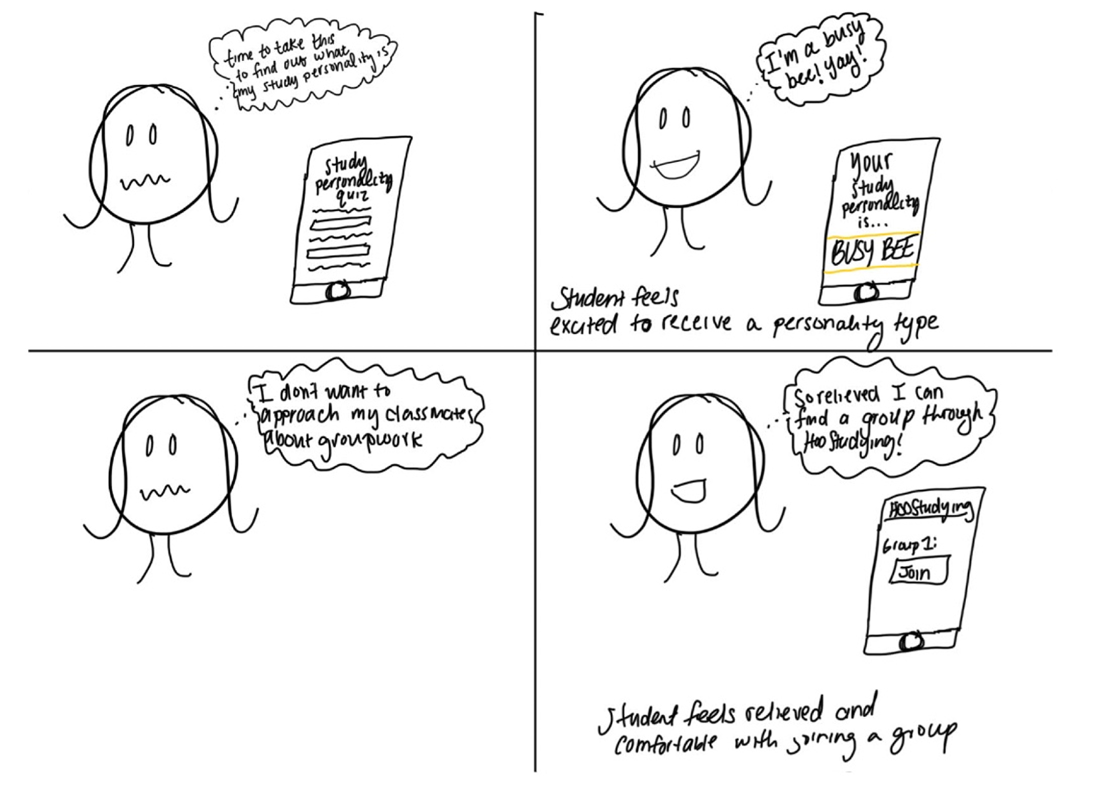
This sketch depicts the student's emotional journey from the perspective of their work role in classroom. In the first row, the student takes a study personality quiz and feels excited and satisfied upon receiving the result and being assigned the personality of "Busy Bee."
In the second row, the student initially experiences anxiety due to unfamiliarity with classmates and discomfort in approaching them for group work. However, when using the Hoos Studying application, the student feels relieved as they can easily join an open group online.
Professor’s Work Role:
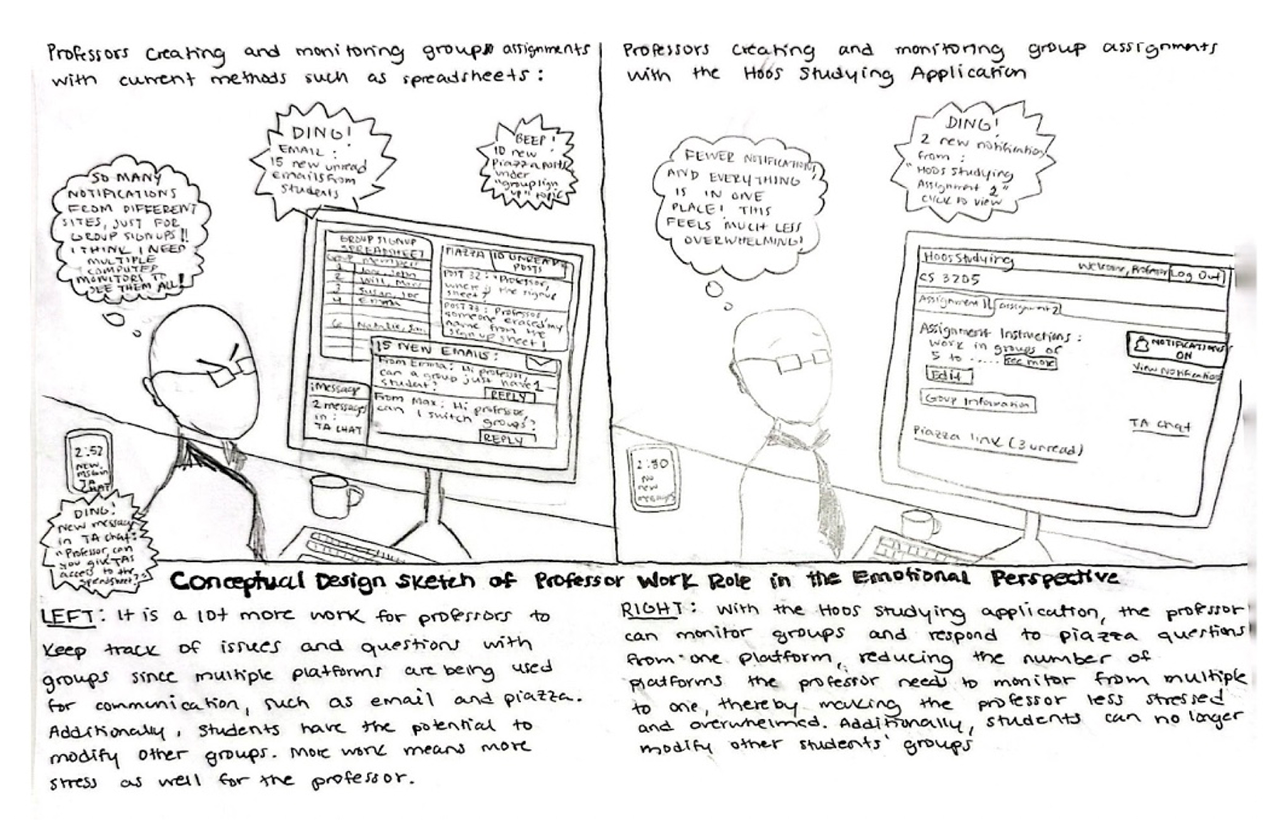
The second sketch depicts the professor’s emotional journey from the perspective of thier work role in making groups. Initially, the professor is overwhelmed by keeping track of issues and questions that arise from groupwork. Additionally, the assignment allows students to switch to other groups for the first week, which makes it even harder to keep track of the final groups.
With the Hoo’s Studying Application, professor gets daily summaries of changes that students made in groups, and can limit the students from switching more than twice- which makes the work more steamlined and allows the professor to monitor multiple groups at once.
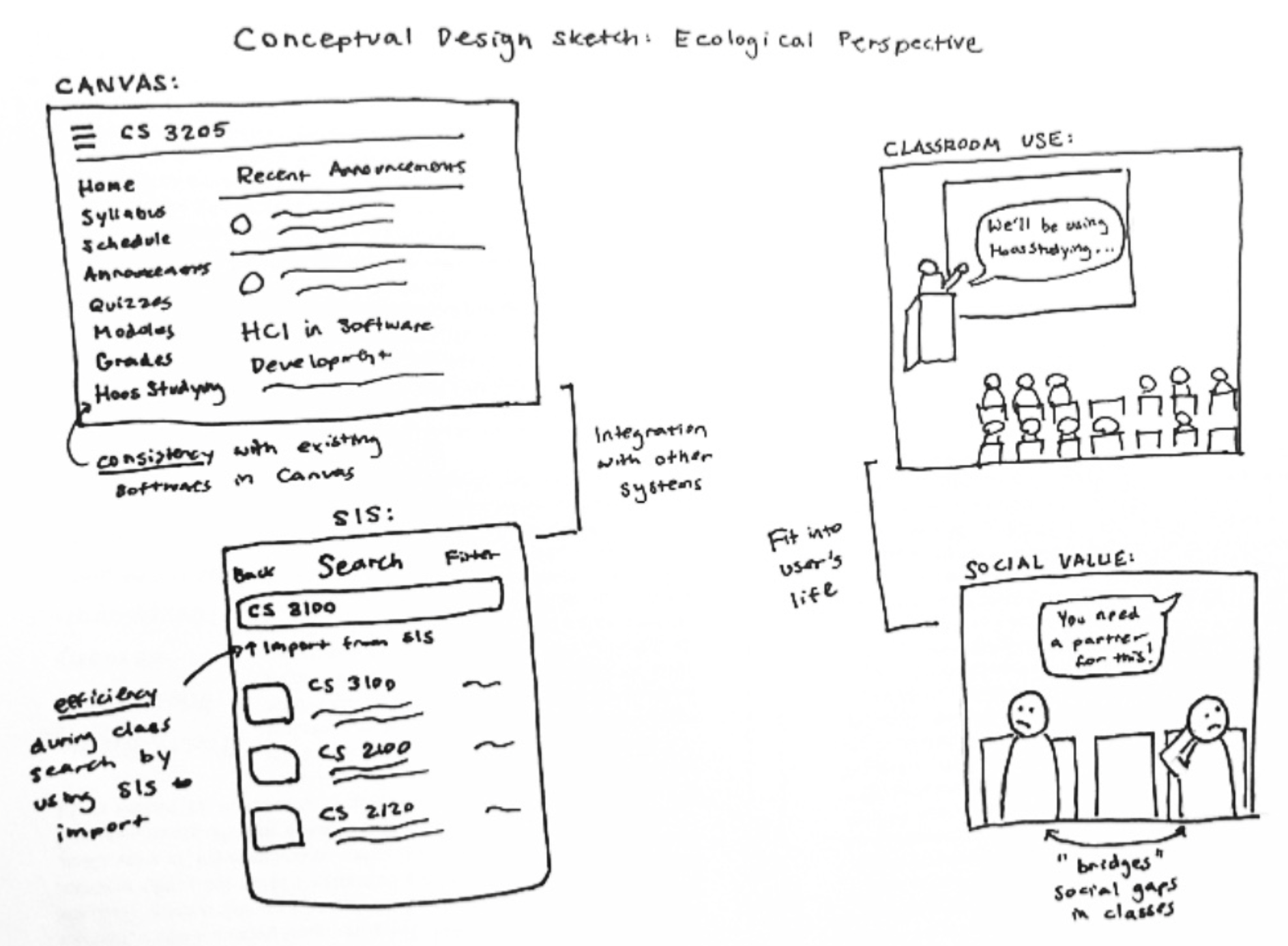
✽ Ecological Perspective
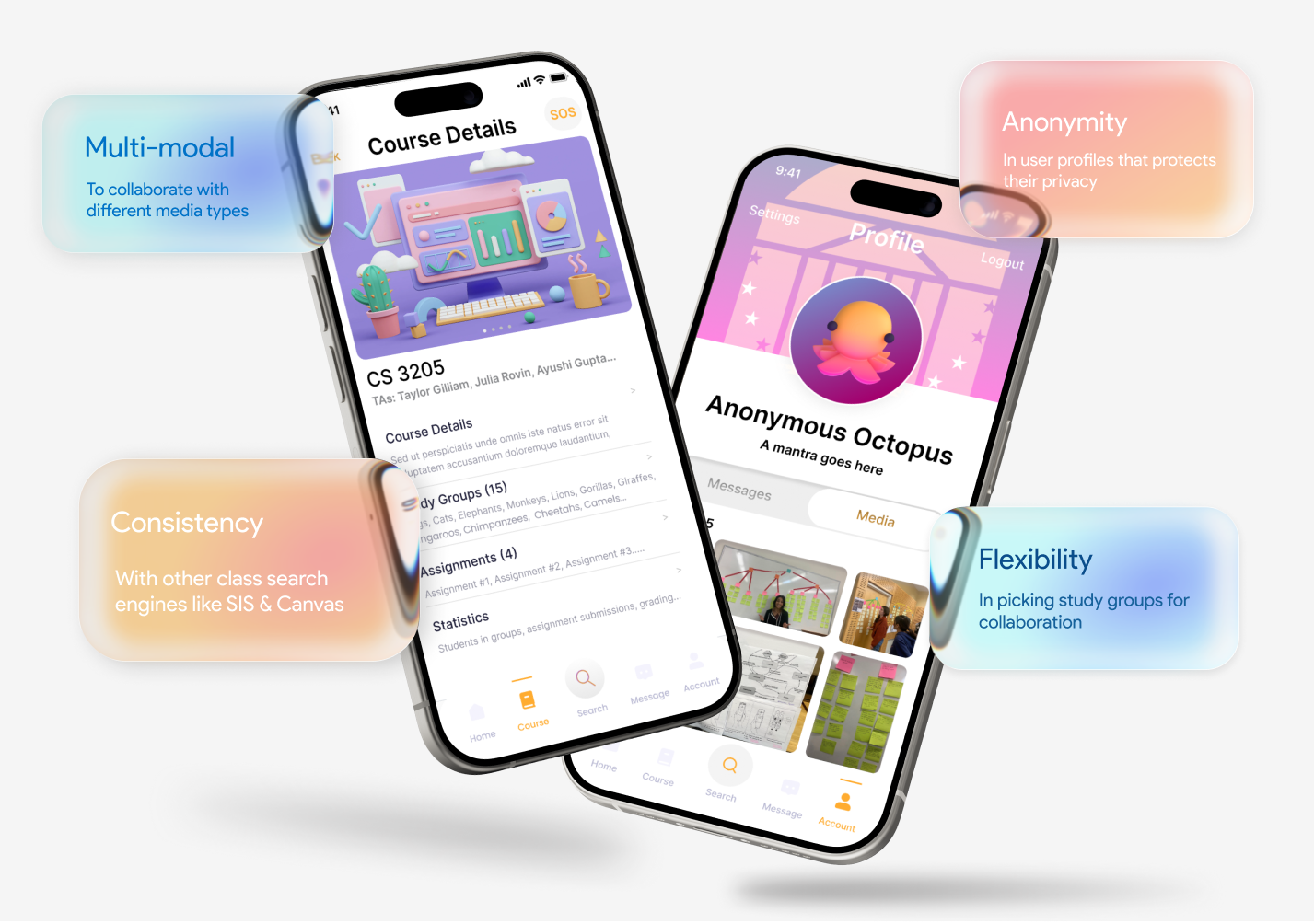
In the ecological perspective, we aimed to seamlessly integrate our system into the existing lifestyle of students and professors. We prioritized visibility and accessibility by ensuring consistency with other modules in Canvas, a commonly used platform. By placing the app link in a familiar location, such as the Canvas interface, and using recognizable upload icons, we created cognitive affordances that simplify navigation for users.
Additionally, we streamlined the course joining process by offering the option to import classes from the Student Information System (SIS) schedule, enhancing efficiency. We metaphorically describe the app as a bridge, highlighting its ability to connect students who are unfamiliar with each other and emphasizing its advantageous role.
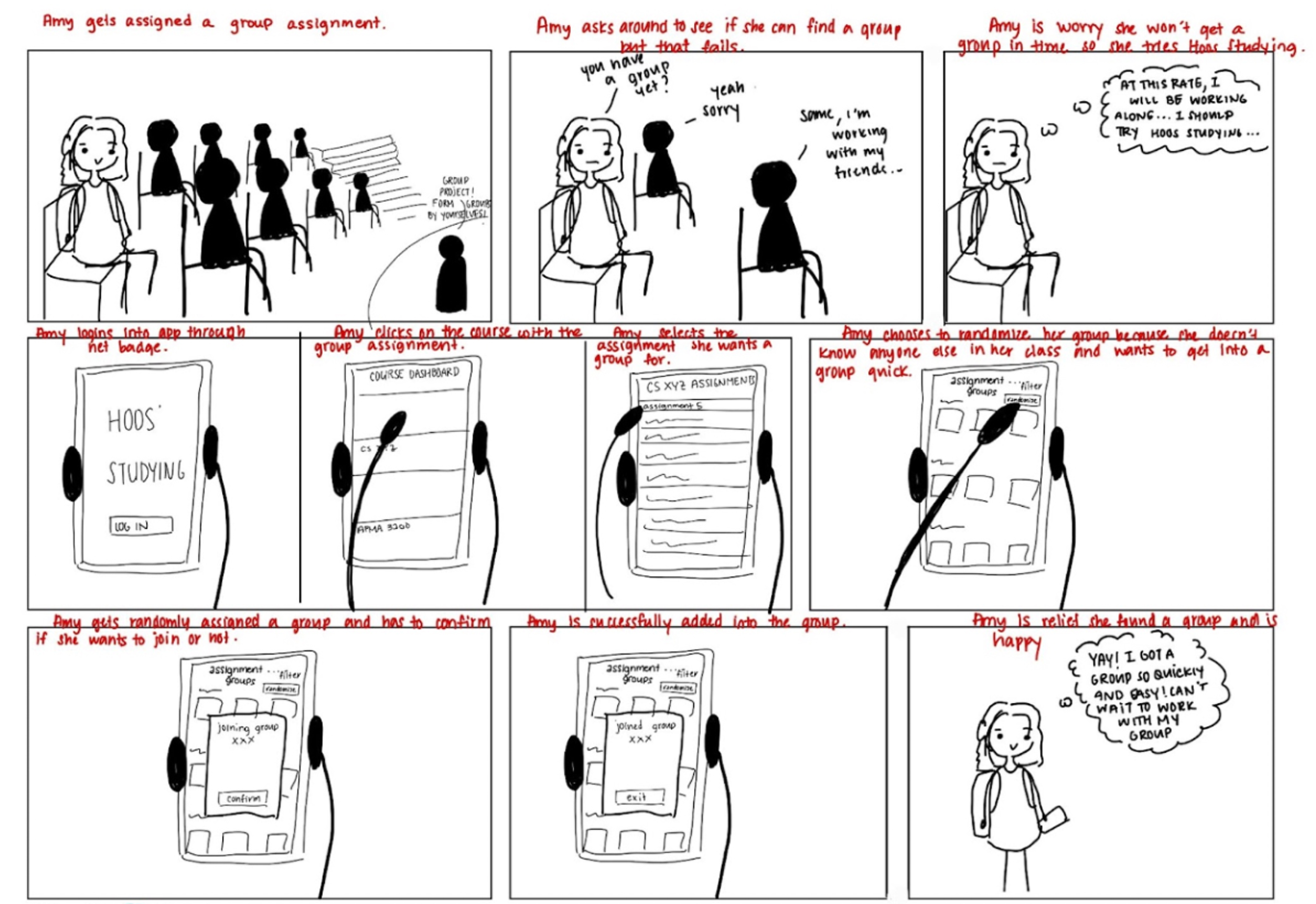
✽ Interaction Perspective
The interaction perspective focuses on a key feature of the application used by the professor work role. It illustrates the student's navigation to create assignments and the screens and interfaces encountered. Our aim was to maintain a minimalistic and user-friendly design, considering the varying skills and adaptability of different work roles, including professors.
In this scenerio, Erica gets assigned a group assignment, but she doesn’t know anyone in class. She asks students around but doesn’t get into any group. So instead, she opens the Hoo’s studying app and chooses a random selection where she gets assigned into a group. She then looks around and finds her teammates in class.
VISUALIZING THE ENTIRE JOURNEY
Final Storyboard
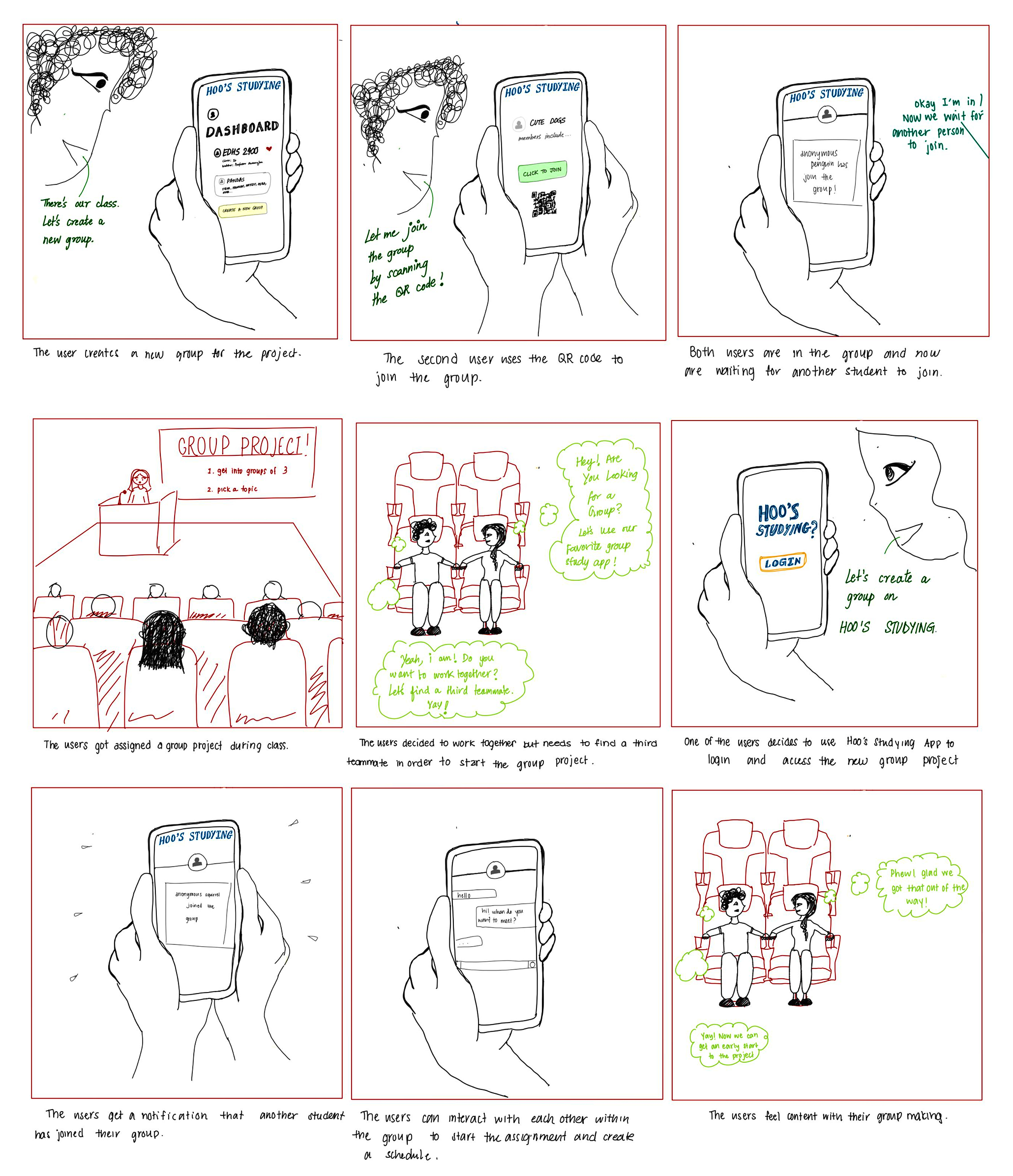
We made a storyboard that we could use to generally explain the concept of Hoo's Studying App during user testing sessions to simulate user interactions and gather feedback on the proposed design. It helped stakeholders better understand the context and purpose of the app, facilitating more meaningful feedback and insights. This storyboard also helped us as designers to create narratives that illustrate how users might interact with a app in real-life situations. By following the user's journey through a storyboard, we were able to highlight user needs, motivations, and pain points.
Our primary persona, Erica, joins the class late. One of her classmates recommends her to join this new app called ‘Hoo’s Studying’ where she can interact with her classmates and look for potential groups to join.
The professor gives the QR code to join the class discussion, That’s where she starts chatting with other students to form a group. Her classmate, Jamie and Trisha, are also in that groupchat, and they are all looking to form a group.
Under assignment 1, they click on create a nw group. The app asks them if they are looking for groupmates, and they click yes, which puts a banner on the class main page that they are seeking a teammate.
Soon, they receive a notification that someone new has entered the group. They begin a groupchat and introduce each other. They then locate each other in the classroom and move to sit together for the rest of the class.
They each declare a team contract and responsibilites that they will account for during the team project and a signed declaration is sent to the professor. The app then creates a roadmap for the assignment and they begin working.
IDEATION & BRAINSTORMING
Initial attempts at designing a study app interface
✽ Interactive Tasks for Student Work Roles:
Personality Test during onboarding
Opening Study Sessions
Joining Study Sessions through an app recommendation system
Chat funcationality for groups
Asking/Answering questions on discussion boards
Anonymous Profile Search Mode
Private Compatibility ratings
Group Sharing through urls
Pre-Assignment Questionnaire to promote diversity
PROFESSOR USER JOURNEY MAPPING
Holding Client Feedback Sessions
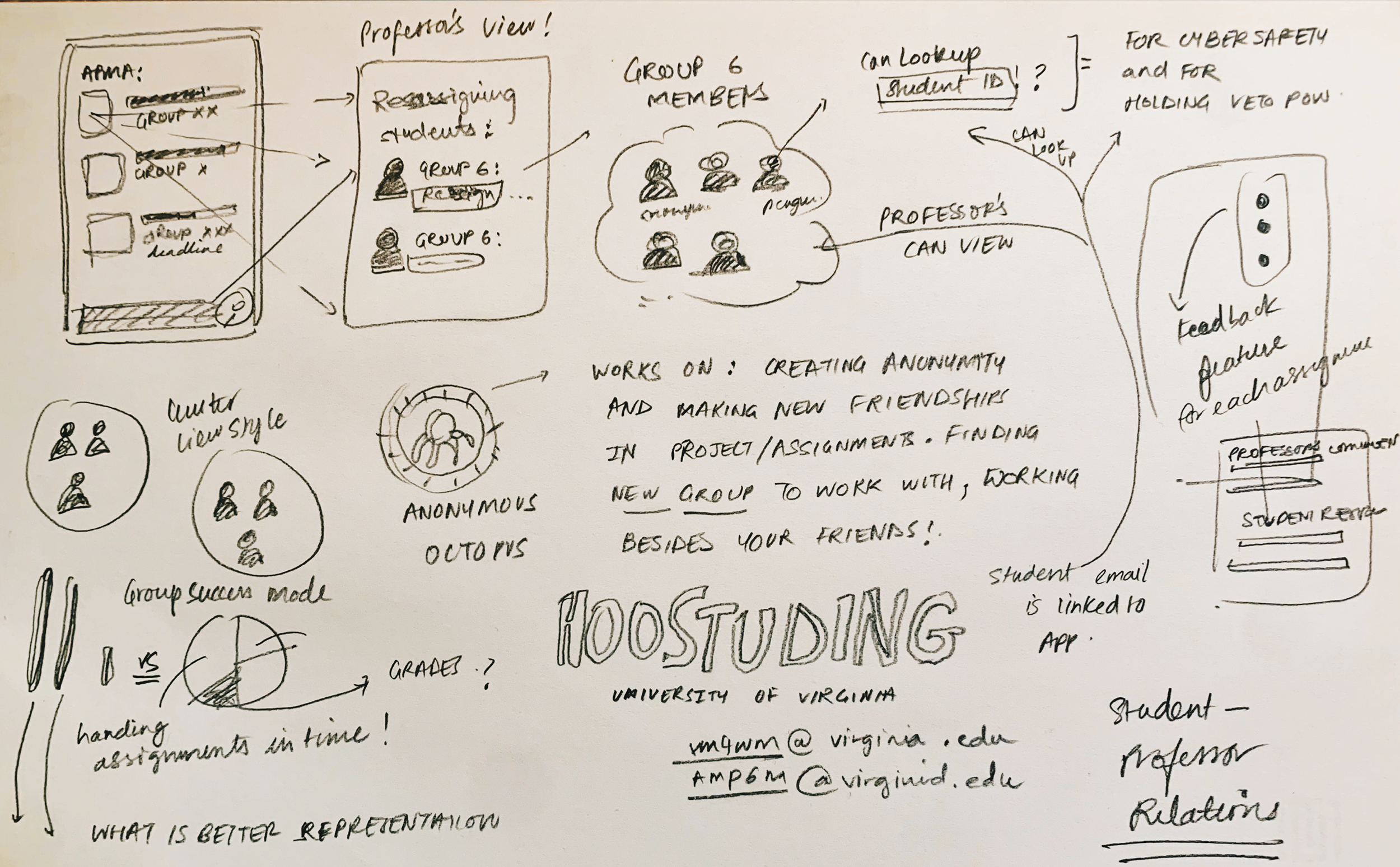
✽ Interactive Tasks for Instructor Work Roles:
Creating Assignments with specifications
Terminating Group Formation Periods
Responding to public discussion board questions
Private Group based communication
Auto Group Resizing
Monitoring left-out students (assigning teammates)
Grading based on User Activity
Shepherding Group Progress through feedback
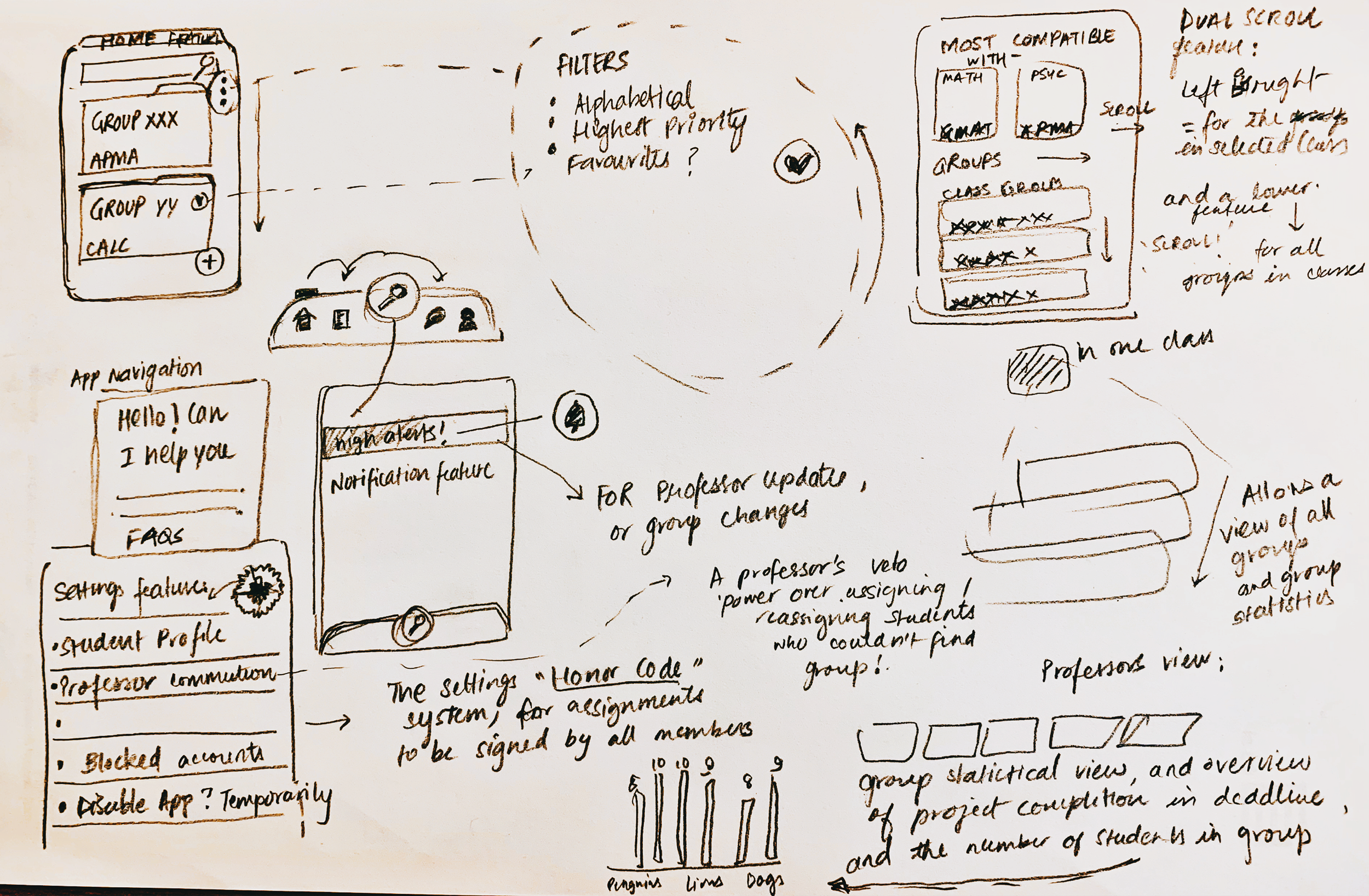
We reached out to a professor with our initial ideas and conducted a early user feedback session with out sketches to take into note any missed touchpoints that needs to be corrected for the professors’ work role from initial awareness to post usage.The purpose of the customer journey mapping was to gain a deeper understanding of the needs, emotions and painpoints of instructors to improve the task flows on the Hoos’ Studying App’s instructor interface.
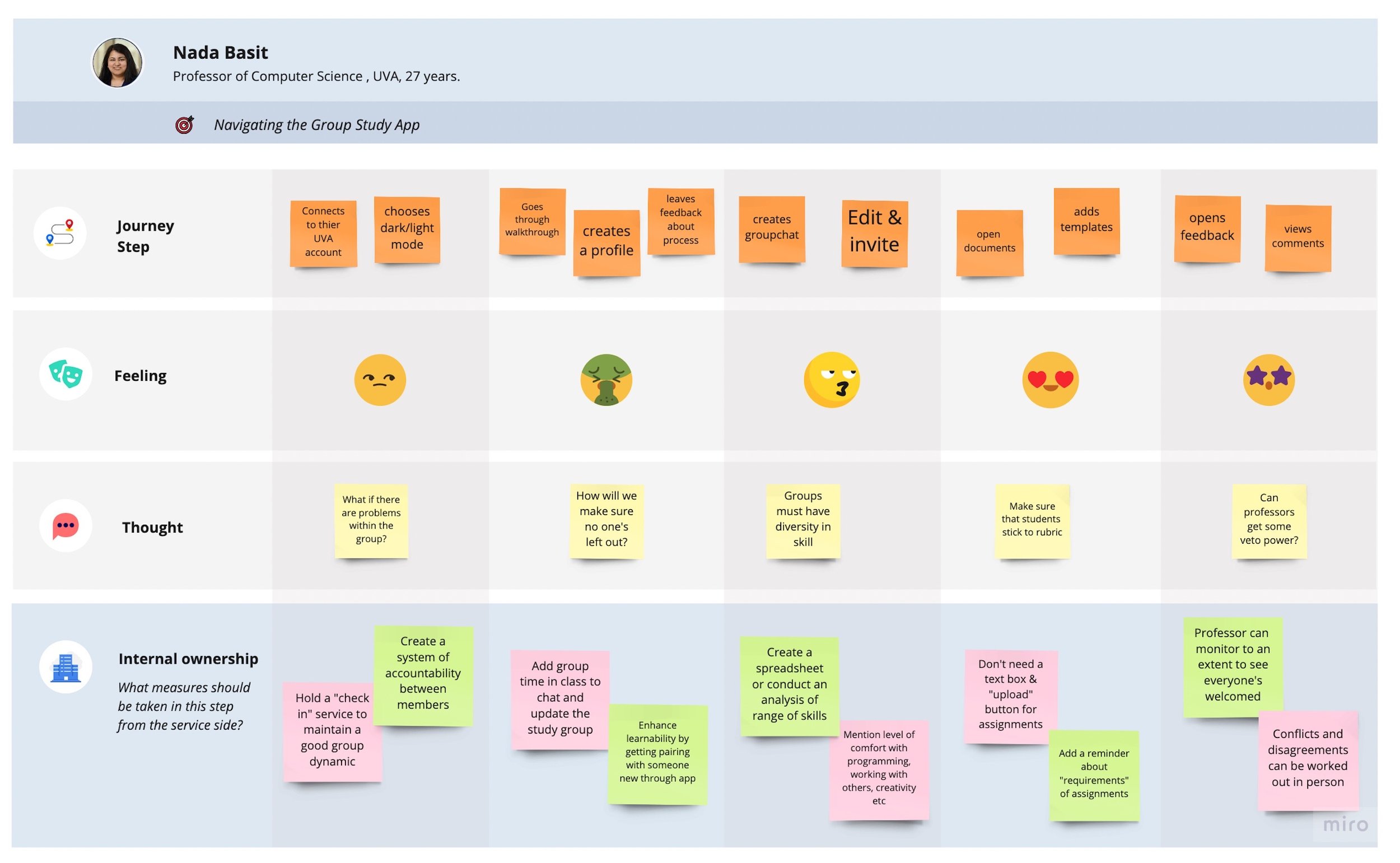
✽ Feedback suggested by the professor:
✔ Visibility and Usability: Group announcements screen in the group page for the professor view in the interface
✔ Inter-Group Communication: There should be a way to contact every group seamlessly- contacts should switch to the outlook app
✔ Quick Announcements: Message professor widget for students/ groups (notifications go to professor), general message and highlighted group alert (for urgent requests)
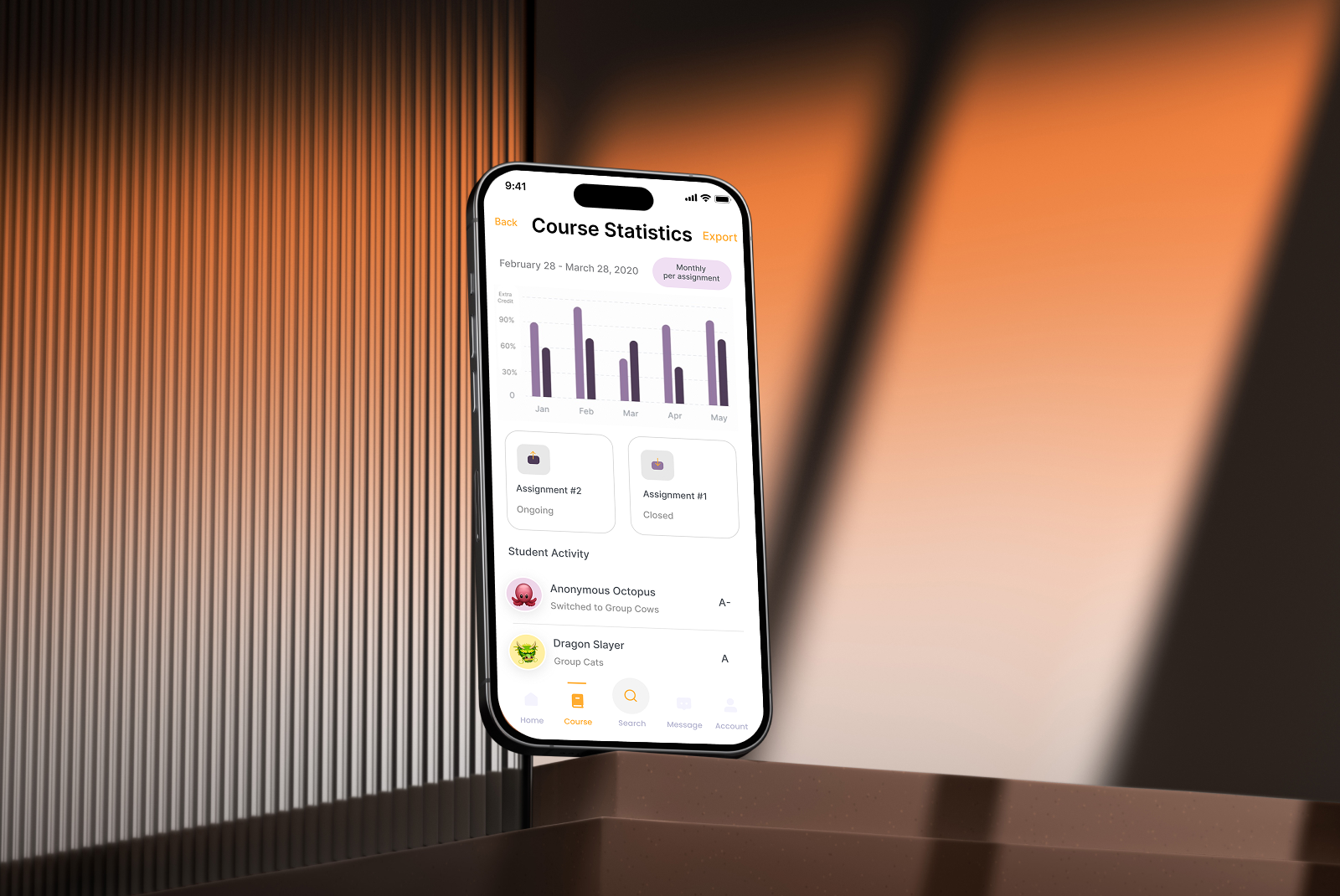
✔ Group statistics for export: A groups statistics page (number of groups, how many students left out of a group, group progress- incomplete/complete- as a means of export into a pdf/csv spreadsheet)
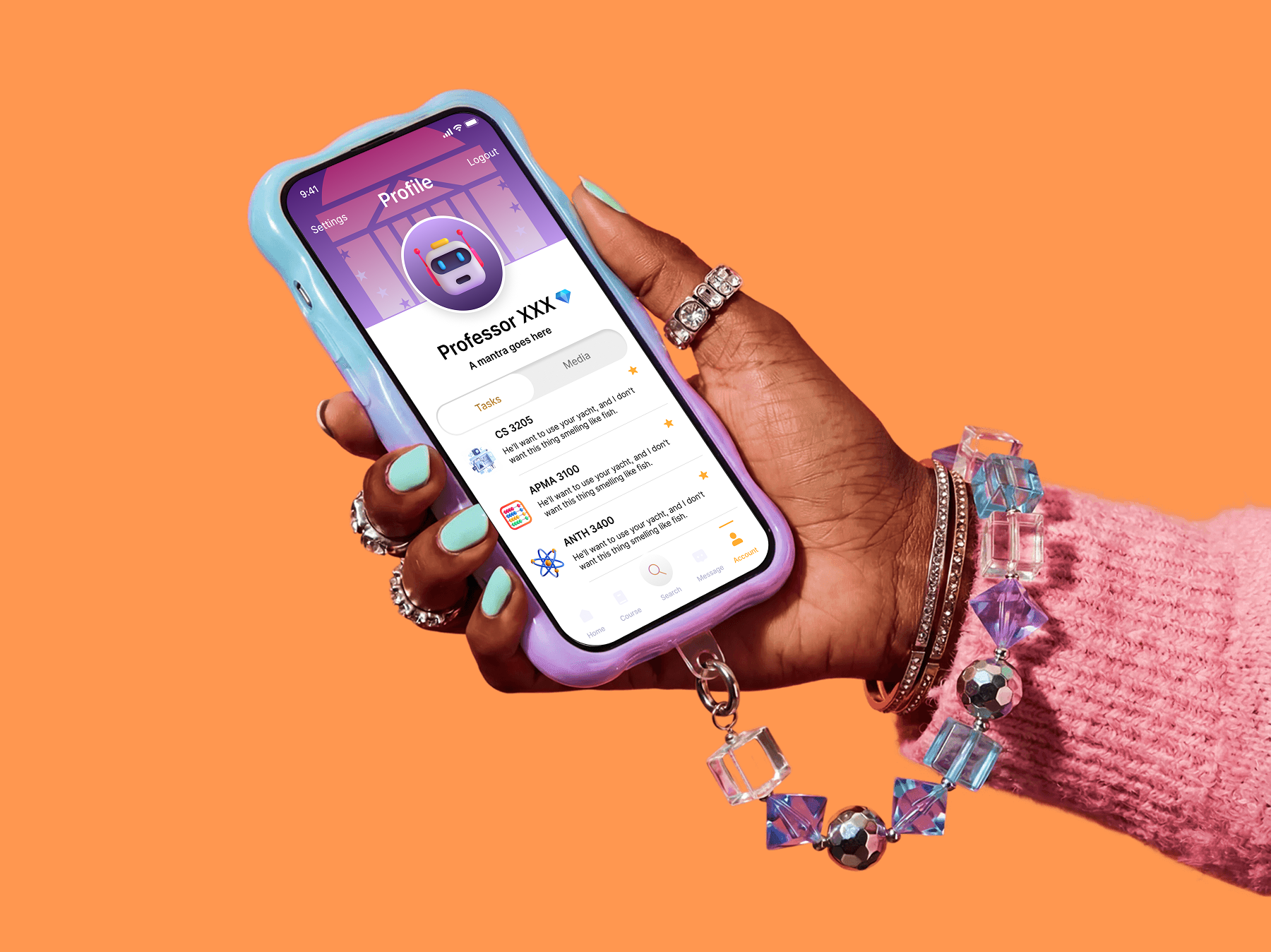
✔ Engagement: Professor also can get an avatar and interact with students in an engaging way, although professor doesn't see any anonymity, they can see the actual students in the group (role based control for the professor and user roles selected during login)
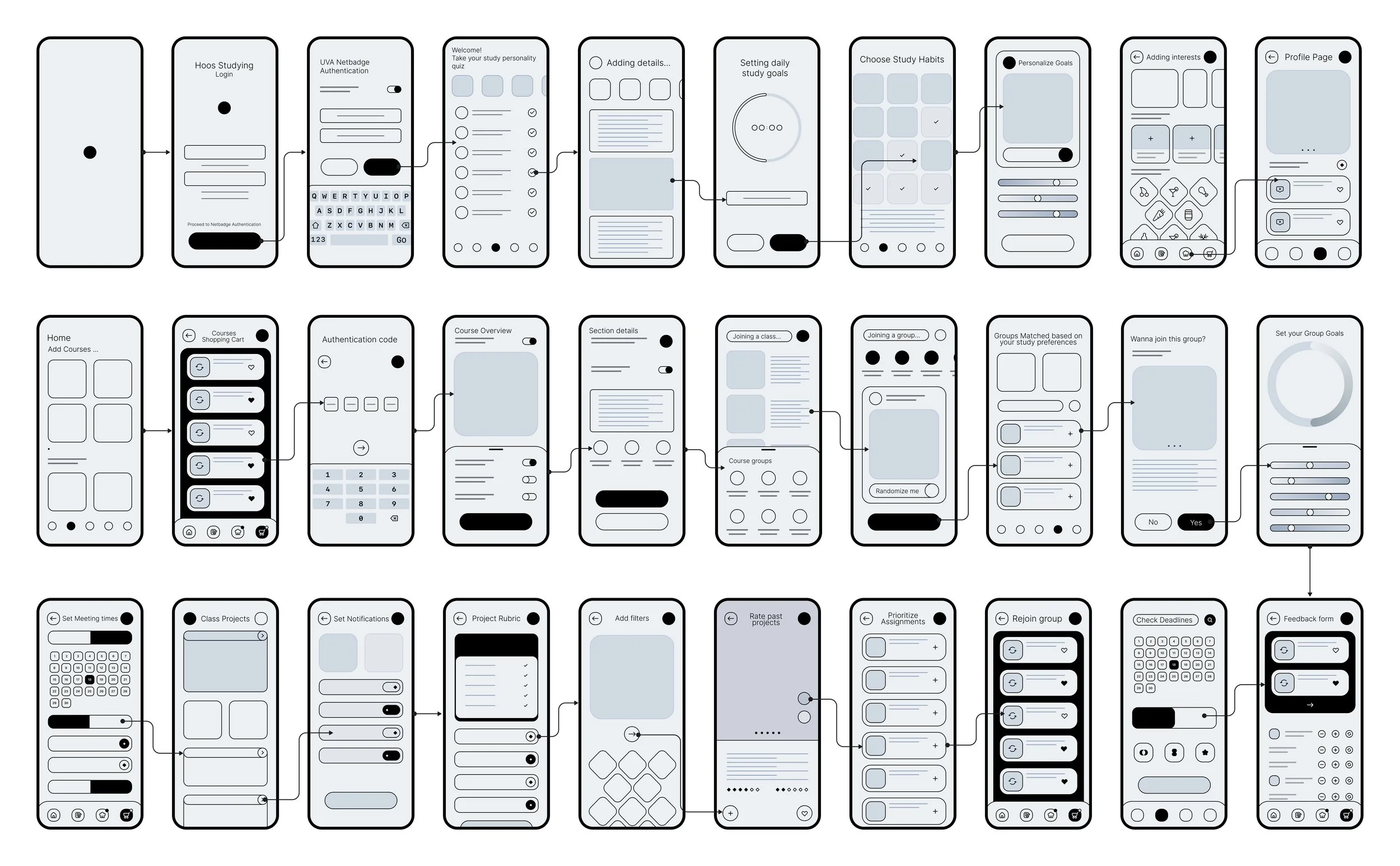
LO-FIDELITY PROTOTYPING
First attempt at wireframing for a study app
Through lo-fi prototyping, we developed and tested initial concepts to streamline the study group formation process for students and instructors and enhance informational clarity.
DESIGNING HIGH-FIDELITY MOCKUPS
Bring our vision to life through University of Virginia’s branding
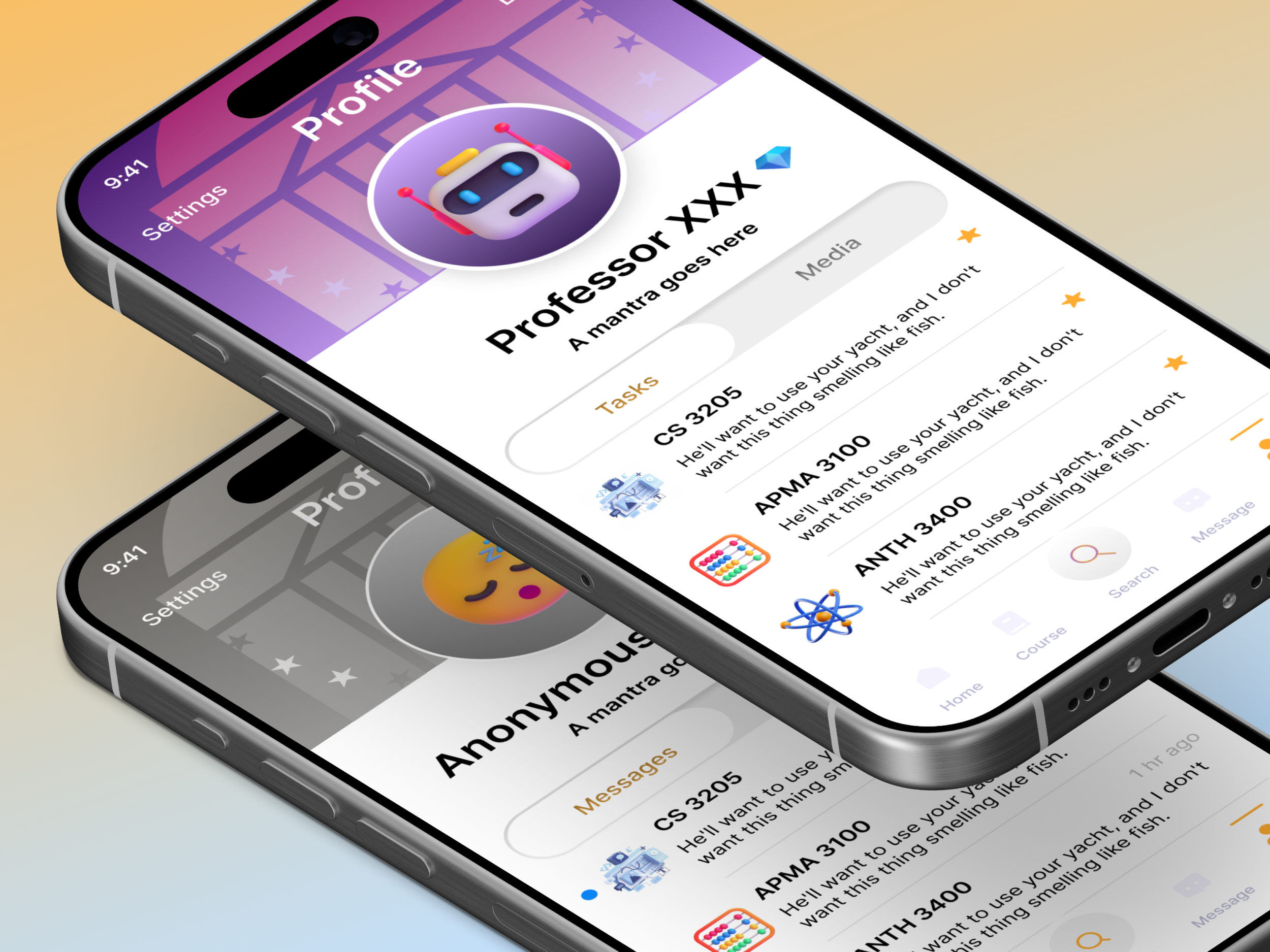
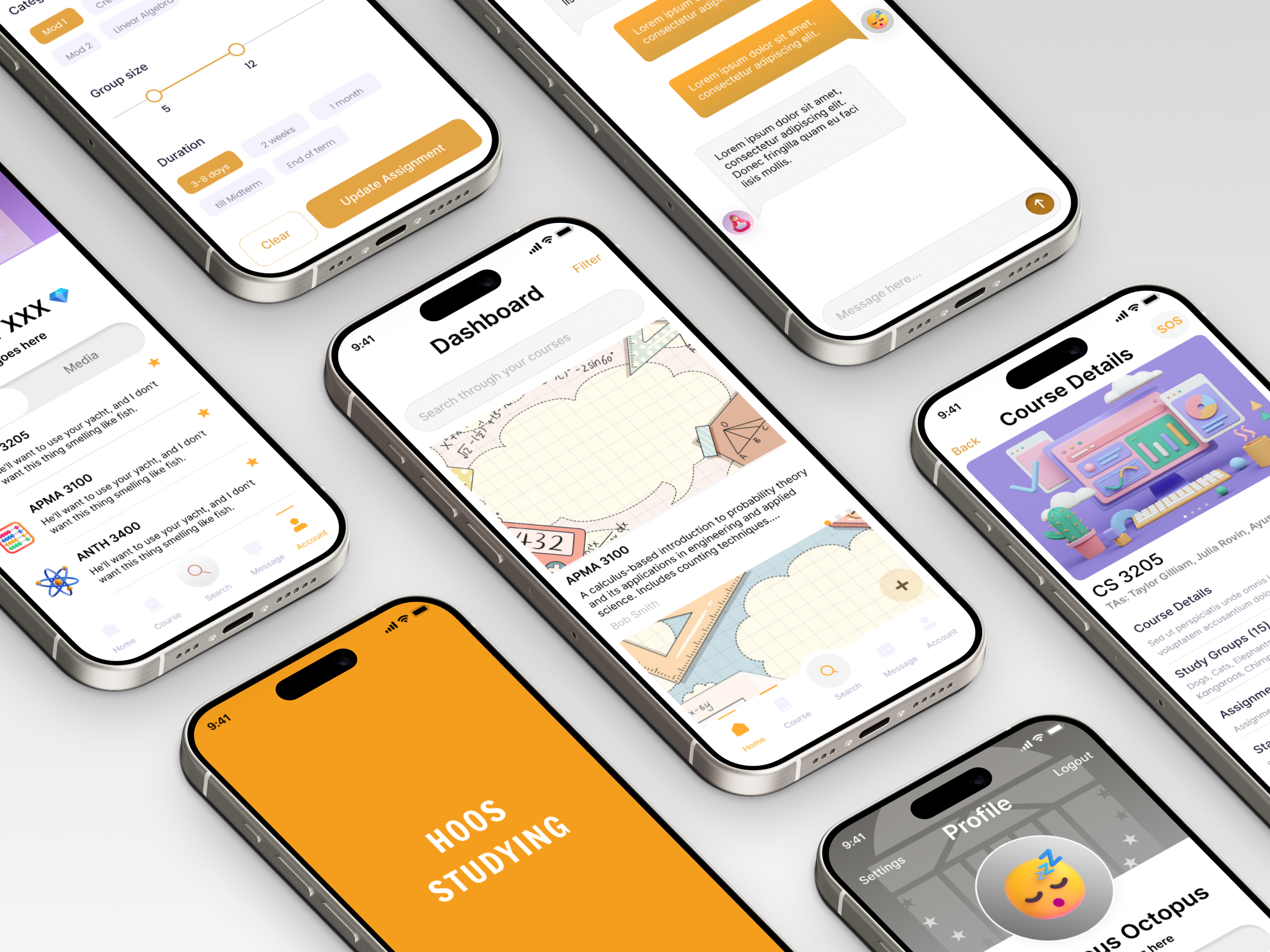
Feedback for our initial solution highlighted inefficiencies and slow performance for group studymatching exceeding 50 participants. To address this, we introduced an automated random group selection as well as an overall study session management dashboard to reduce friction for students and teaching assistants.
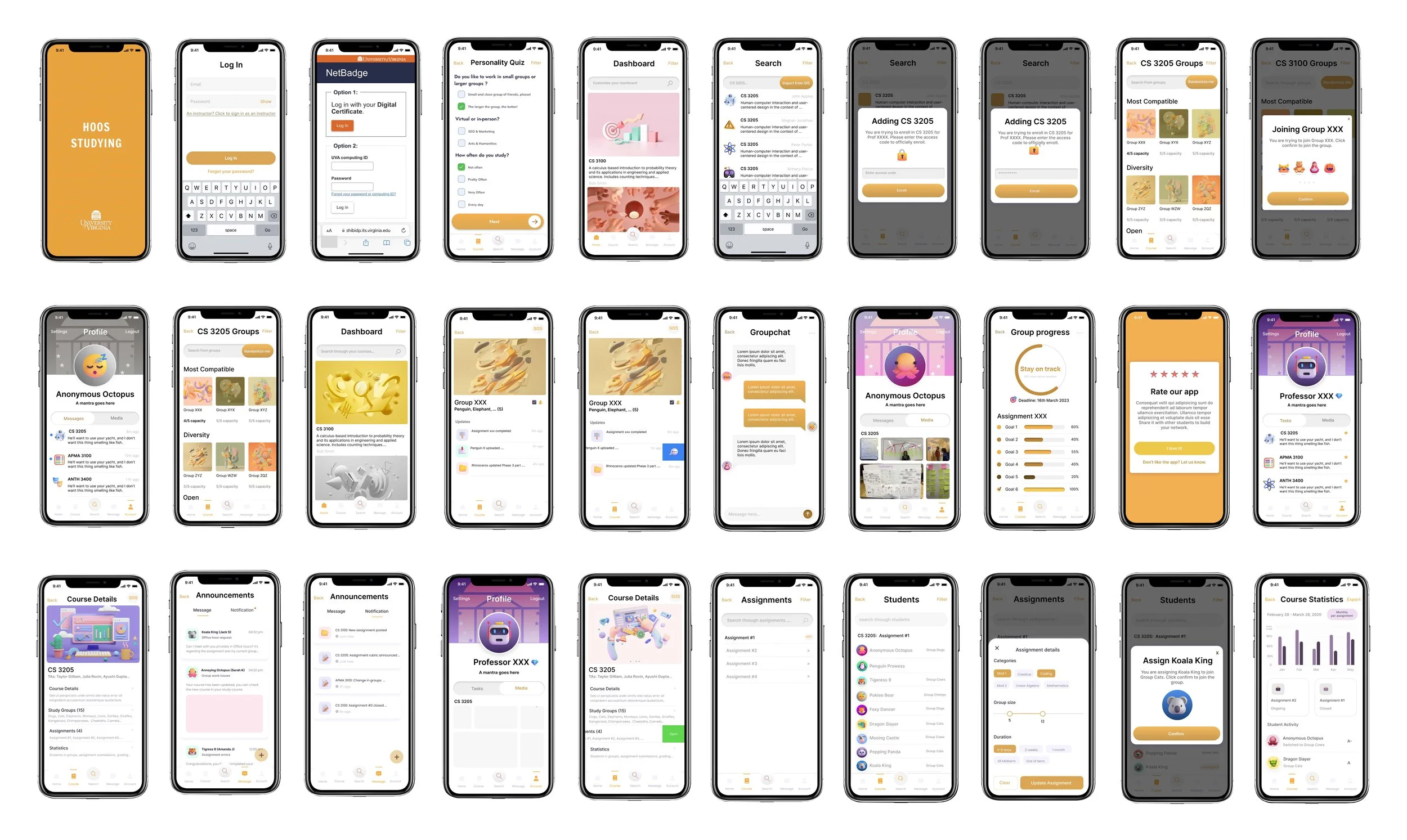
OUR FINAL MVP
Collaboration across faculty and wahoos! on grounds

SOLUTION HIGHLIGHTS
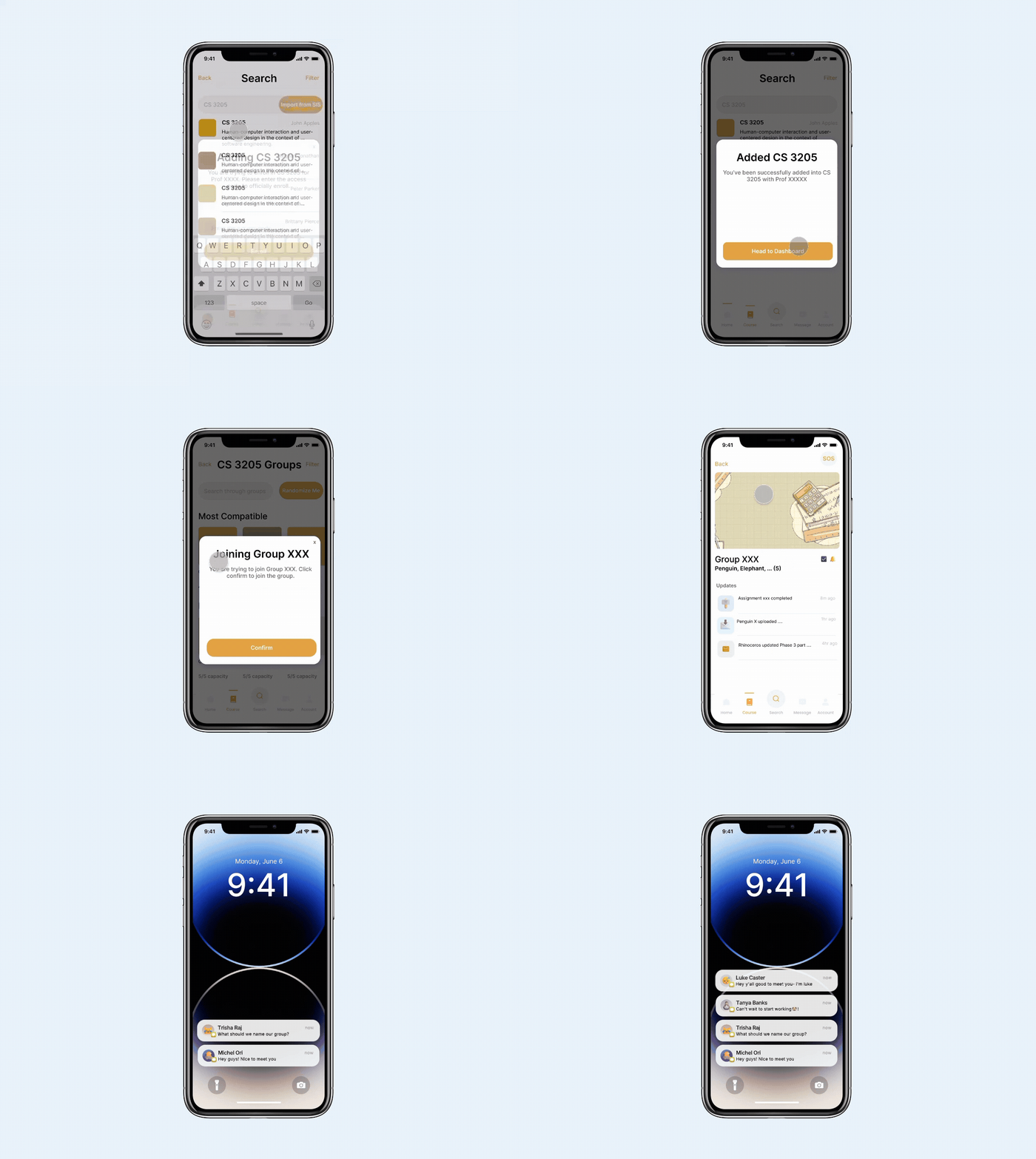
#1 : Ensuring Cross-Platform Connectivity for Group Communication
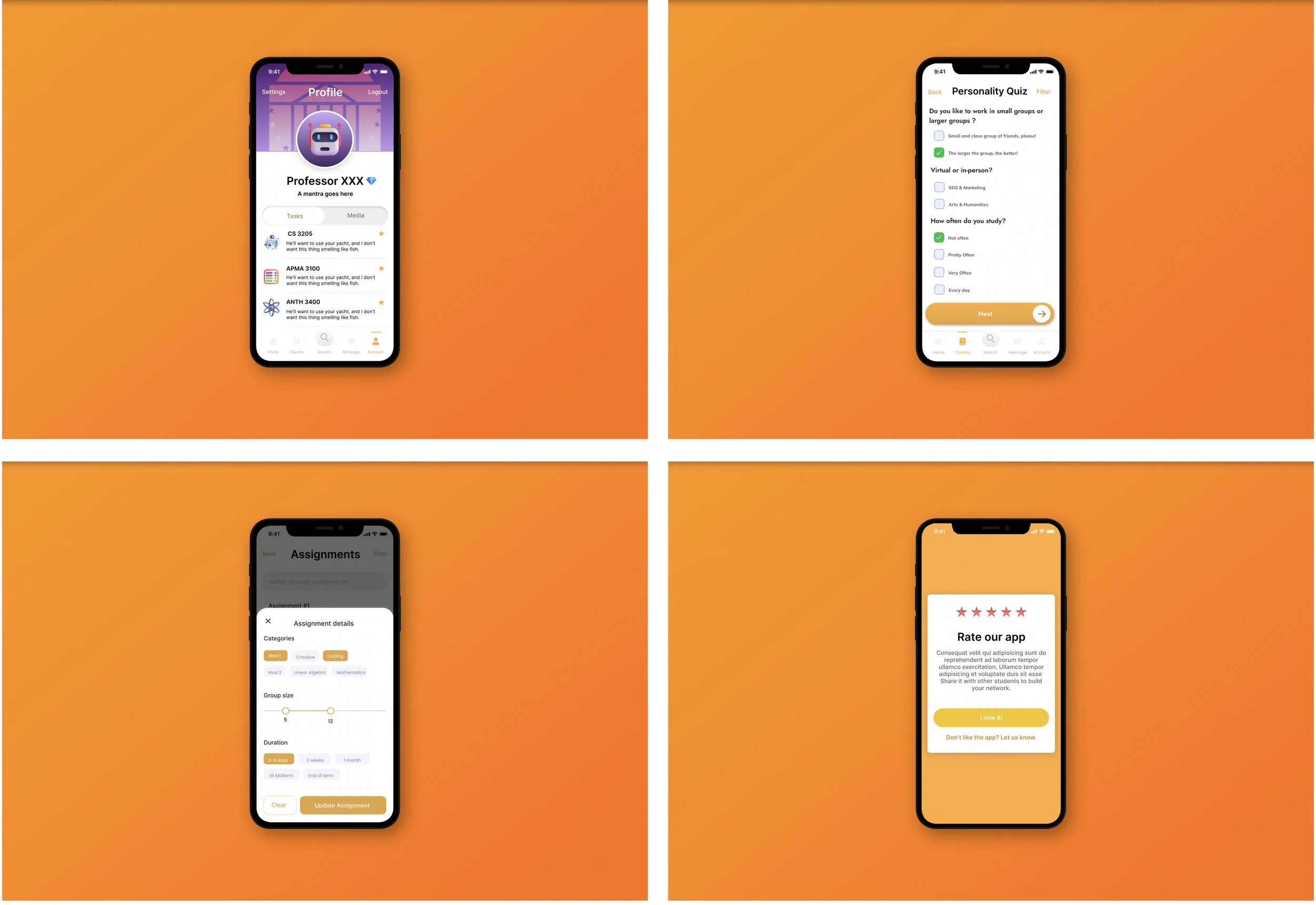
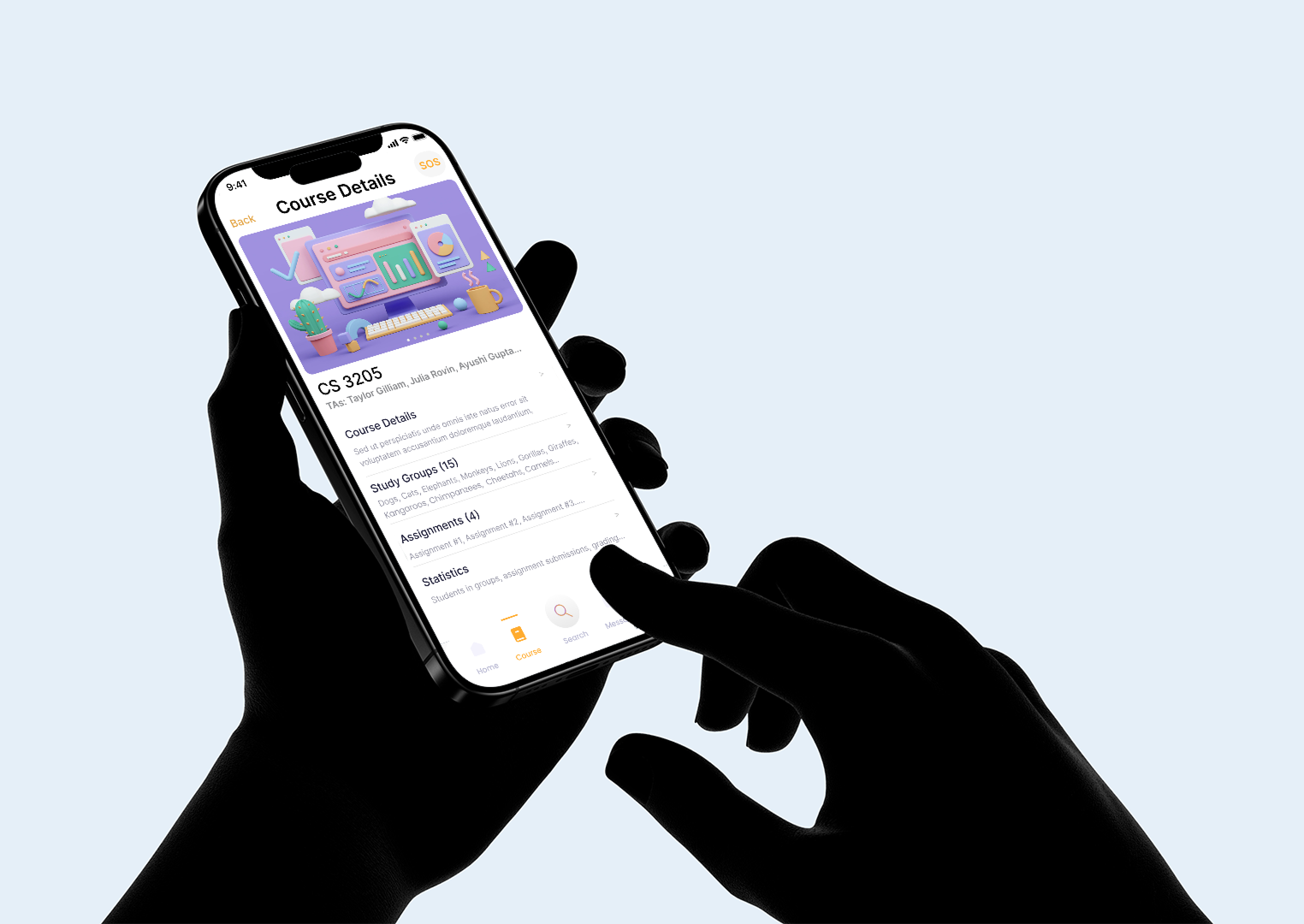
To enable smooter communication between group members, the app syncs the groupchat messages to your phone’s messaging system, so users have the option of switching back and forth between their local apps and Hoo’s Studying in-app discussion channel and find all updates reflected within the group’s homepage.
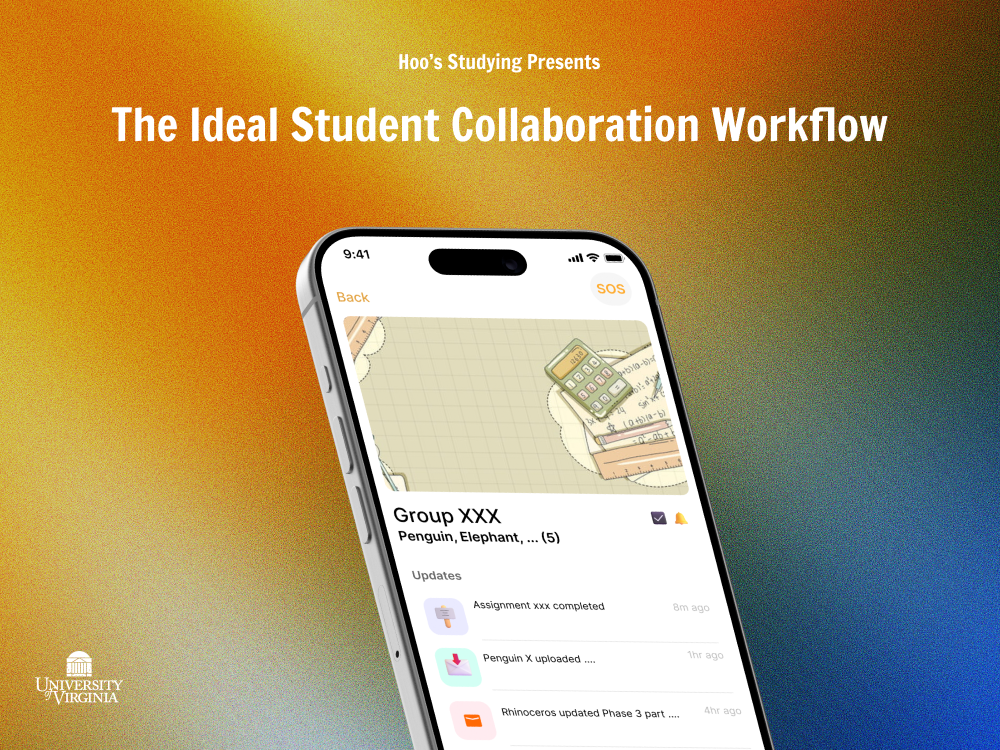
STUDENT INTERFACE WALKTHROUGH
Meet the Ideal Group Study Workflow
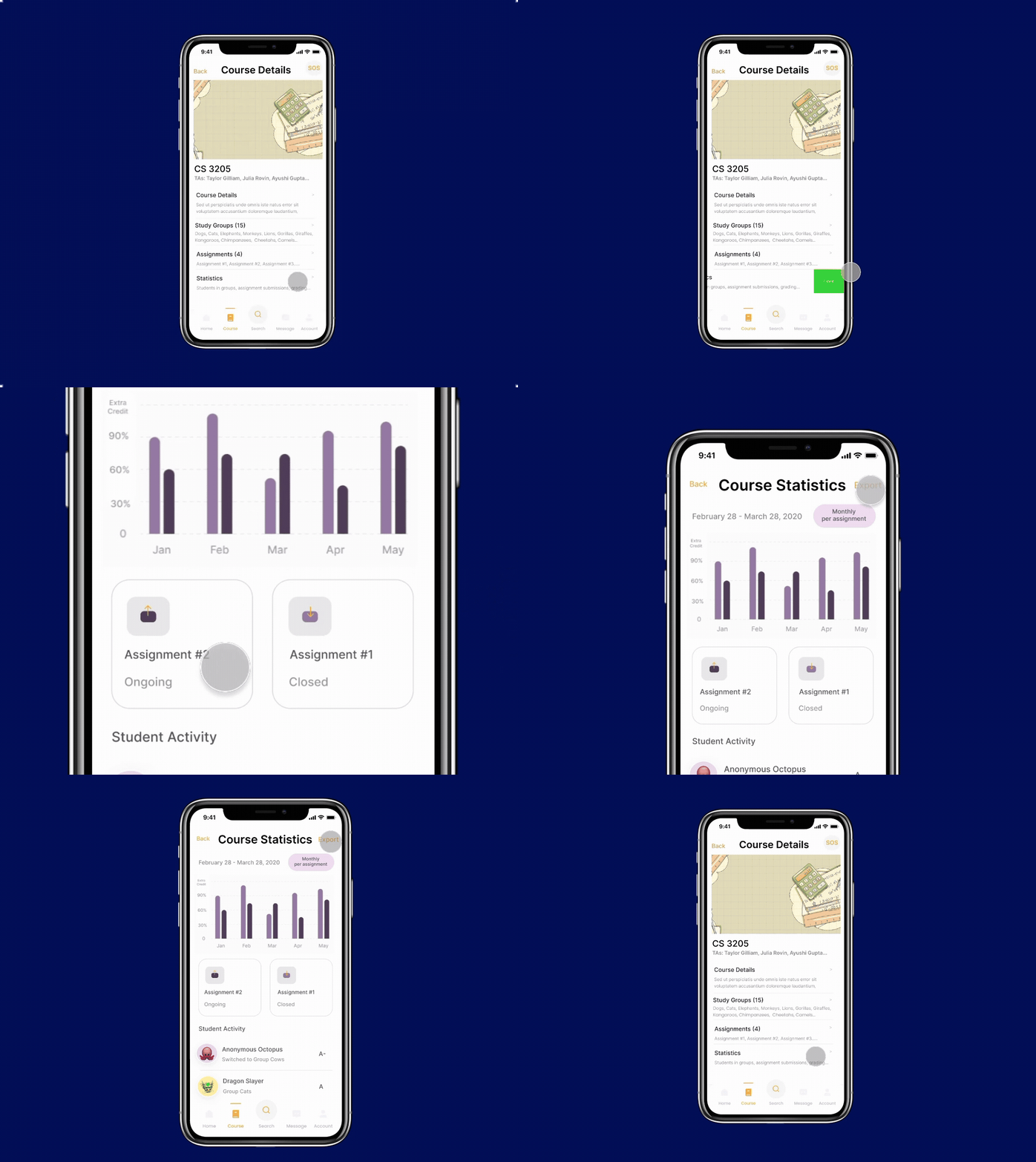
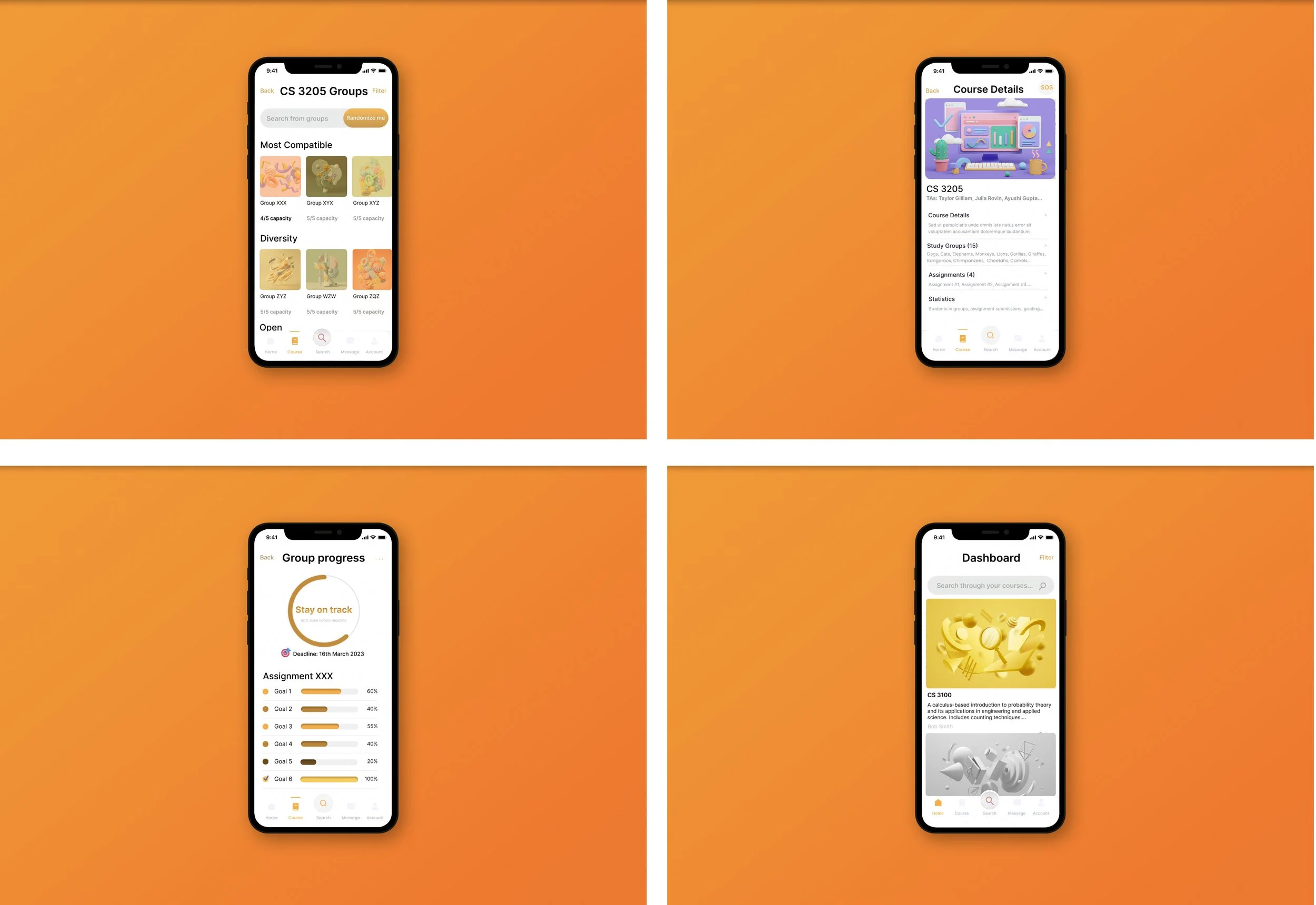
#2 : Improved Course Statistics and Monitoring Capabilities
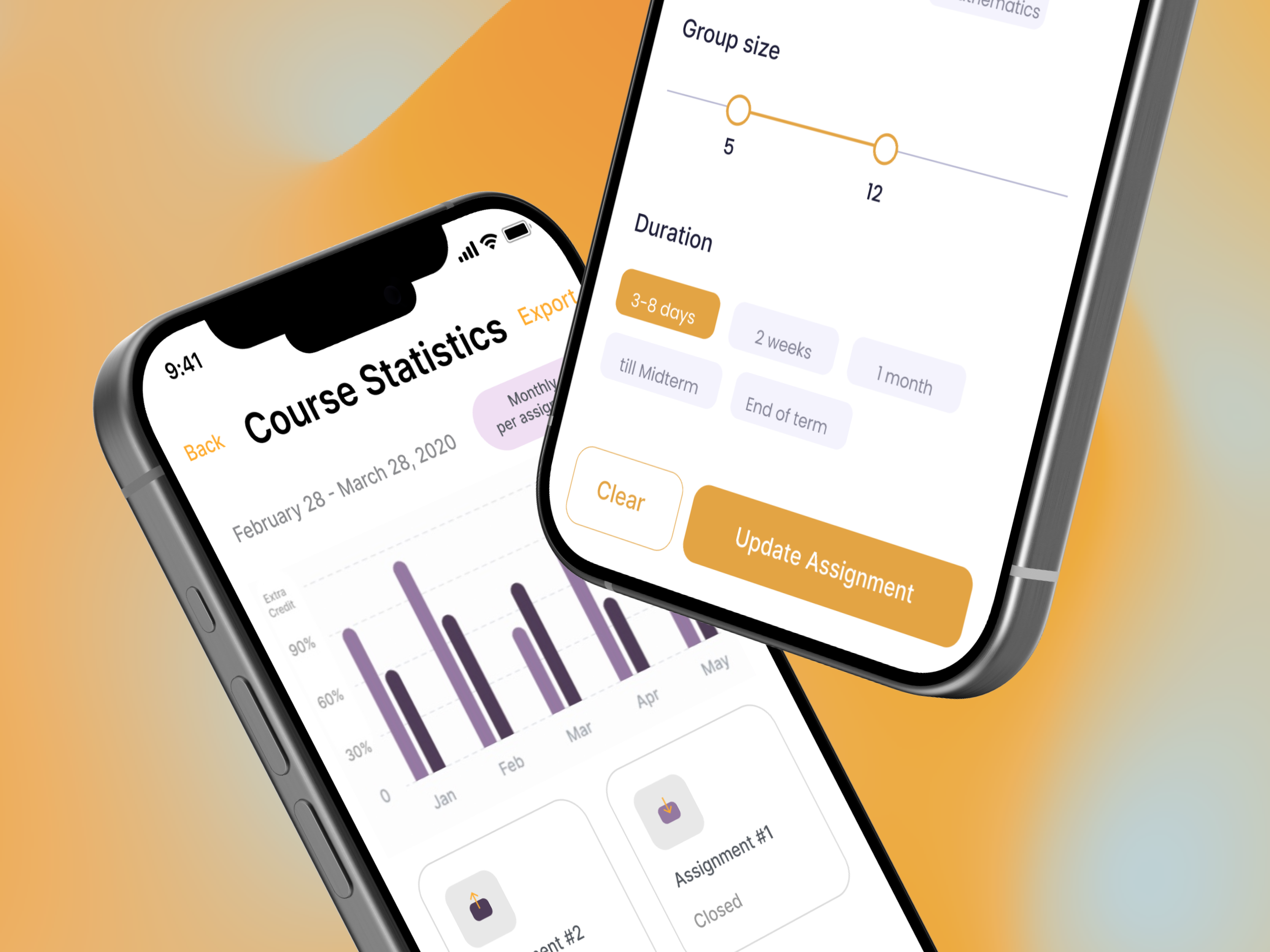
The instructor interface will have additional monitoring capabilities including viewng student activity, adding unassigned students to groups, and overseeing group progress through the ‘course statistics’ dashboard, which shows overall class ratings as well an individual contributions within the group assgnments, allowing teaching assistants to grade based on levels of interactivity.
#3 : Integration into broader UVA’s digital ecosystem
To validate Hoo’s Studying App within the Wahoo Digital Ecosystem, the data from the app pulls student information from Student Information System, to ensure that classes registeredwith the Registrar will be updated into the app, and studets who are not enrolled as a full time student in the semester will not have access to classes and study groups offered in the app.
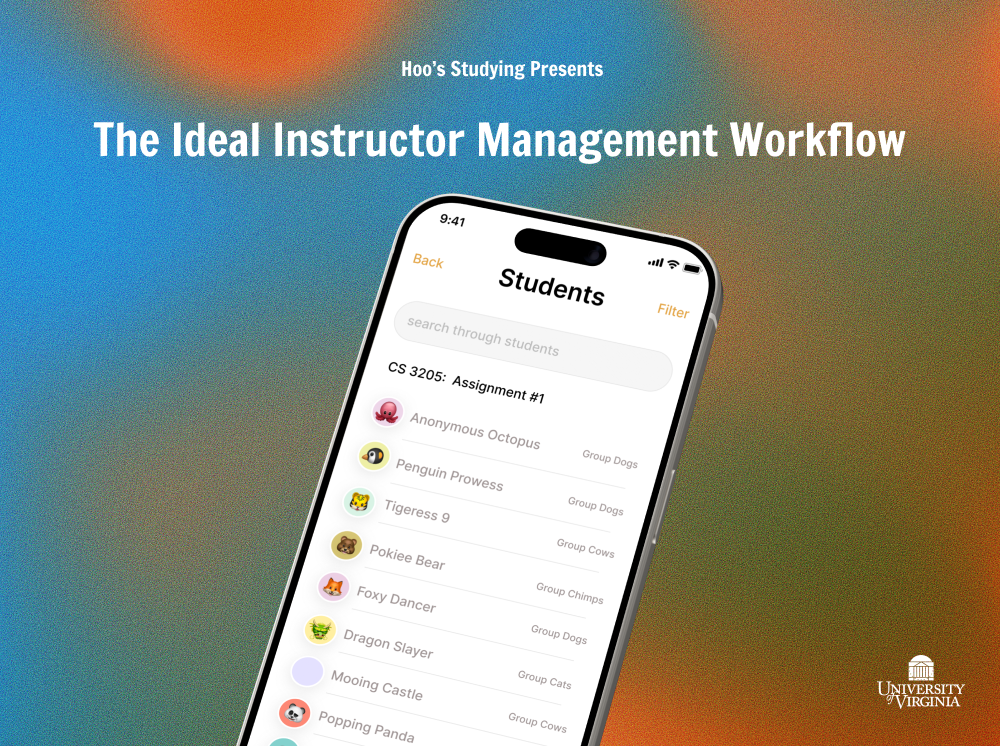
INSTRUCTOR INTERFACE WALKTHROUGH
Modeling the Instructor’s Group Assignment Workflow
USABILITY TESTING
Testing our prototype with our users
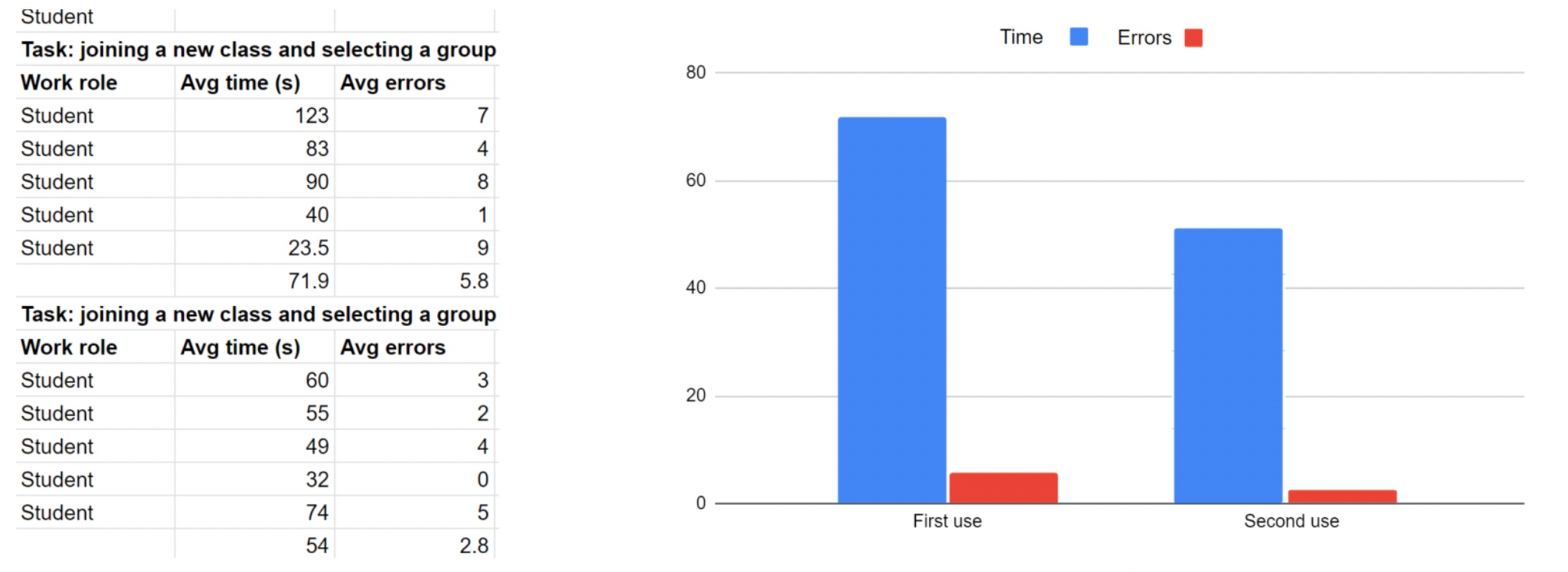
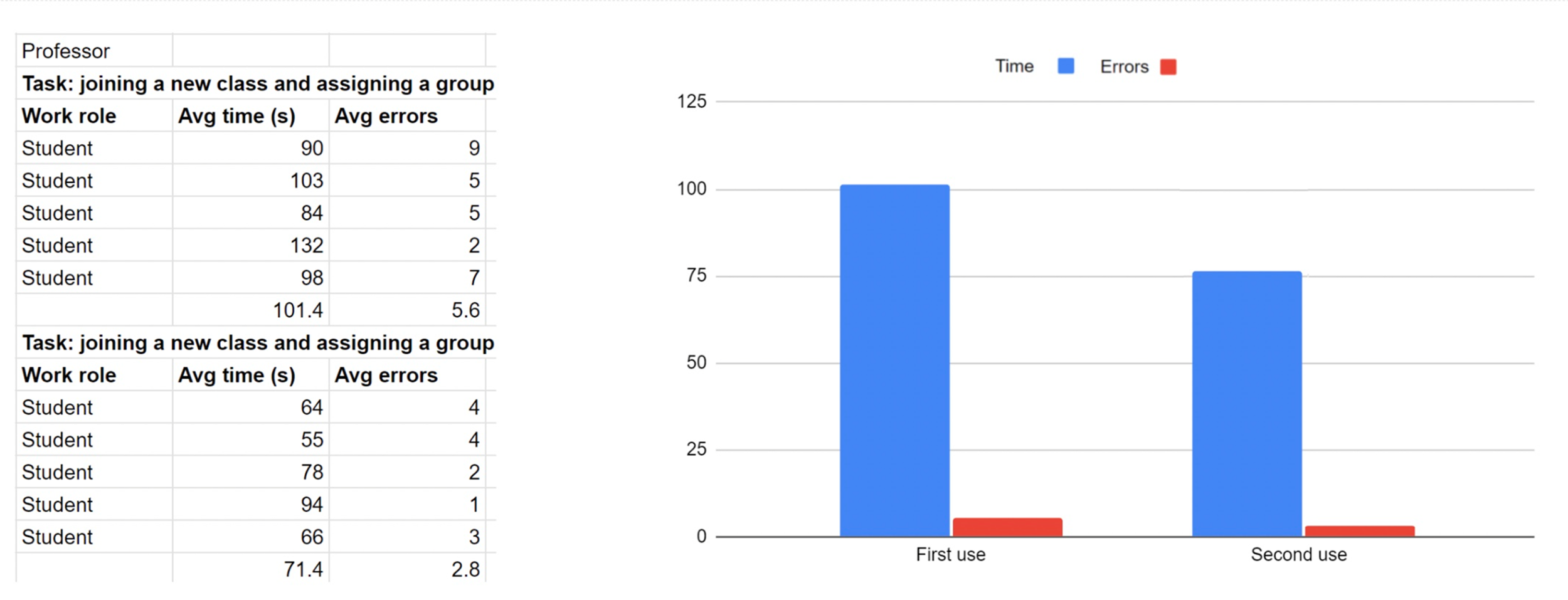
We conducted four task assessments in our user testing sessions to measure the time spent on critical benchmark tasks for each work role. Specifically, we focused on the vertical tasks supported by our current T-scale prototype. For students, the benchmarks included joining a new class and selecting a group, while for professors, the tasks were to register a new class and assign a student to a group for a collaborative assignment.
Each benchmark included two task assessments which evaluated metrics including first-time use and learnability, as well as improvements over time. In addition to measuring the overall time spent on each task during the first and second use, we also recorded the occurrence of errors, such as misclicks or other types of mistakes, to gather more detailed insights.
SUCCESS METRICS
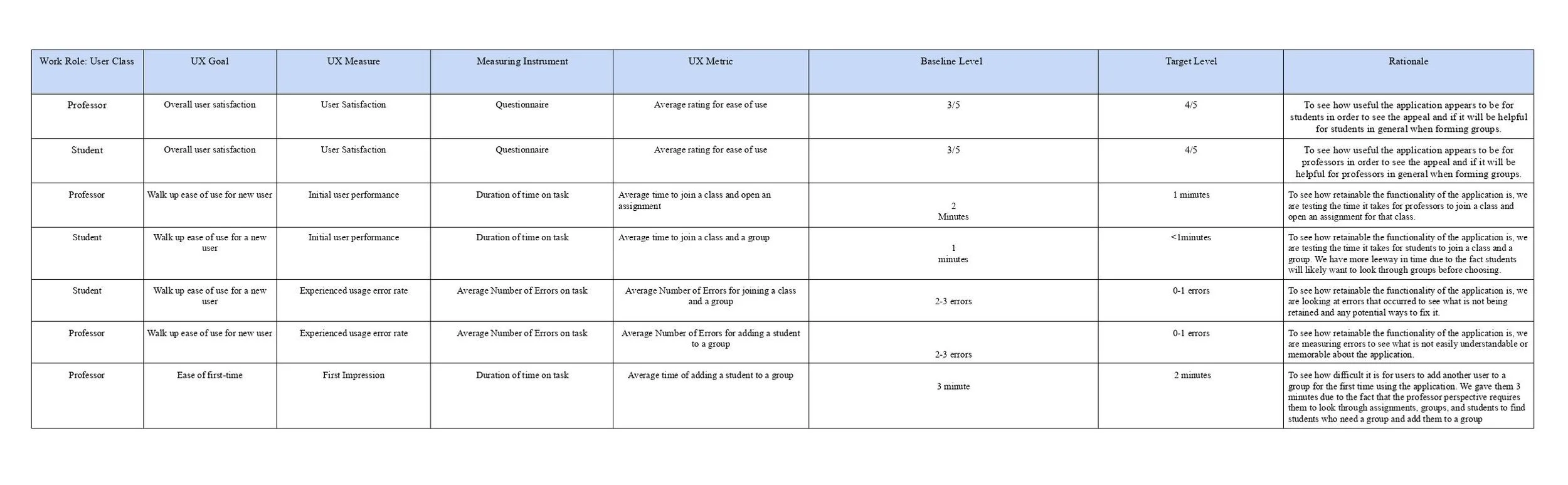
How we evaluated our user testing sessions
UX TARGETS
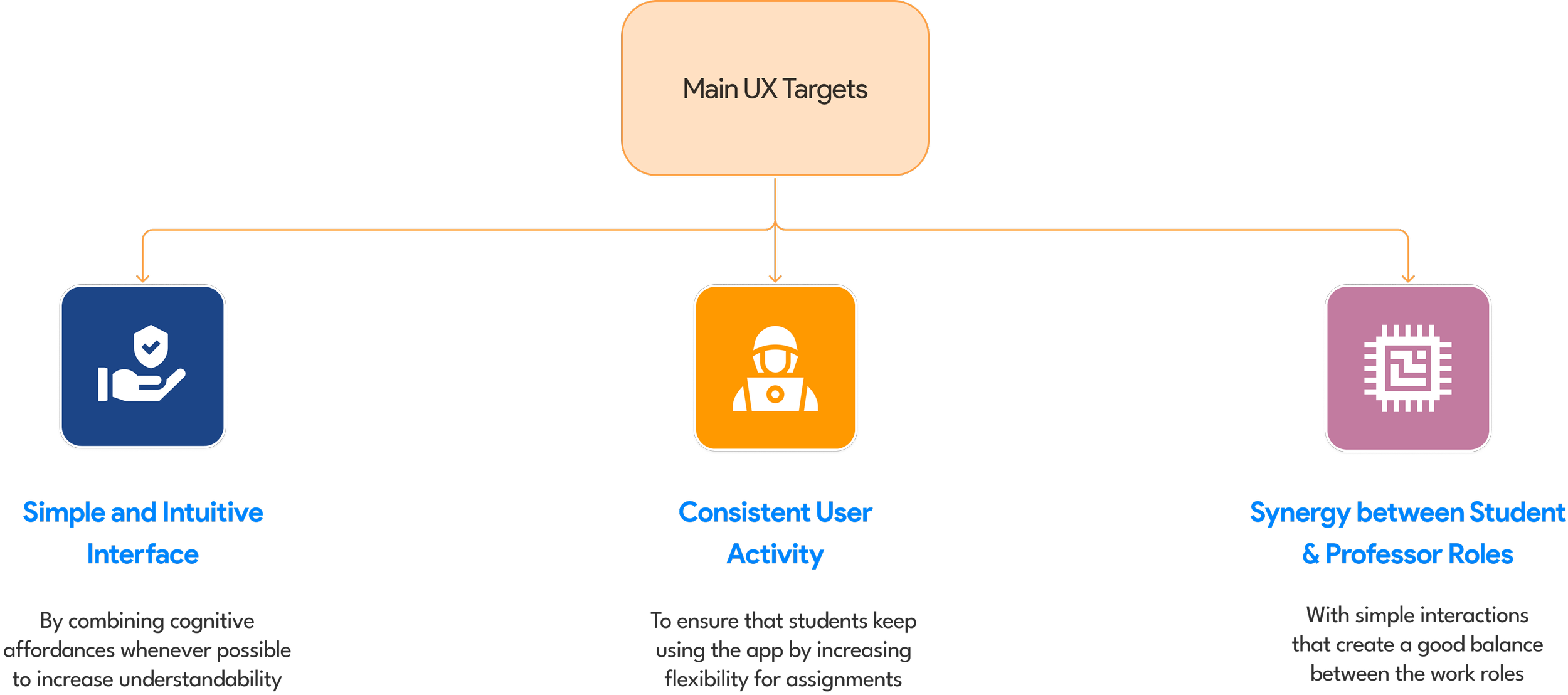
Setting goals that we aim to meet
UX EVALUATION FINDINGS
What our users are saying
✽ Ease of Use
We found that student's first time use took an average of 101.4 secs in total to join a new class and an assigned group. The average rating of ease of use of the application was also 1.67, where the scale was 1 to 5 ( 1 = "super easy to use" and 5 = "difficult”)
🖊 Our Observations:
➀ The number of errors was higher than expected which means that the buttons are not clear to the users. This means that there are room for improvement in the user interface or there needs to be some guide or tutorial to make the application more user-friendly.
WRAPPING UP
☻ Key Lessons Learnt
✽ Second Time Users
We found that the time went down significantly where students are joining a new class and joining a group quicker than before. The number of errors went down significantly too, but still higher than expected.
➁ We found that students are recalling the buttons and applications better after some prior experience and remembering how the system works. Since there are still some errors occurring, we will need to better address the buttons and the metaphors of the buttons to be more clear.
✽ Overall Satisfaction
We found that the users generally enjoyed the visual branding of the application. The average rating of the design was 4.22, where the scale was 1 to 5 ( 1 = "poor", 5 = "awesome"). The users found the app to be useful and relatively easy to use and understand.
➂ There are a few confusing components of the app that we will need to address such as buttons are not working properly where it does not lead to another page or the confusing of what the buttons does. We will address these functionality issues to increase user satisfaction.
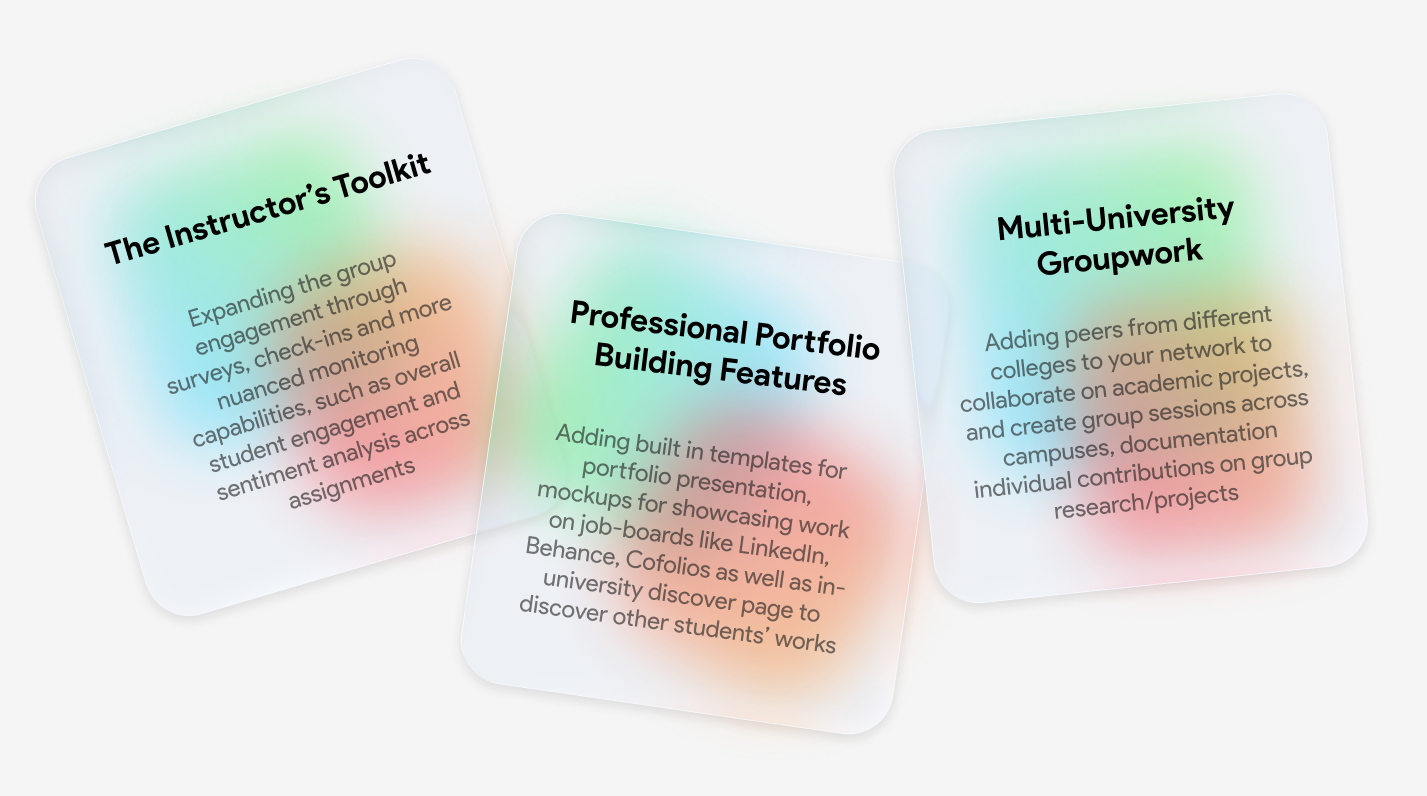
If given more time, our next stage would be to focus on expanding the scalability of the app to colleges all over the US, to help empower students to initiate group collaborations across campuses, with new buddies and peers, and showcase their works directly by exporting on job boards and portfolio websites like Cofolios, Behance, LinkedIn, GitHub etc. We would also like to expand the instructor’s workflow from just being academic grader to becoming a advisor for both professional and project-related mentorship.